Skip to content
EasyPantry Download

Press kit

Writing about EasyPantry?

Last updated November 5, 2026

The press release, facts, features, app icon, promo art and current screenshots in light and Dark Mode, all free to use in your coverage. If you need something that isn’t here, email support@easypantryapp.com.

About EasyPantry

EasyPantry is a kitchen app for iPhone, iPad and iPhone Duo. It keeps track of the food in your pantry, fridge and freezer, reminds you before it expires and shows which of your recipes you can cook right now.

Everything in it is connected. A recipe shows what you have and what’s missing. Cook it, save the batch as a meal prep and put its meals on your Meal Plan for the week. There is no account to create and there are no ads. The app is free within limits, and an optional Pro subscription lifts them and adds features such as Scan Groceries, Craft Recipe and Apple Health sync.

Press release. October 20, 2026.

For immediate release

EasyPantry for iPhone, iPad and iPhone Duo turns what’s in your kitchen into recipes, meal prep and a meal plan

Designed to follow Apple’s design guidelines, the app is an option for home cooks as the meal planning app Mealime shuts down on October 21, 2026

LAS VEGAS — October 20, 2026 — Independent developer Dean Cornejo today announced EasyPantry, a free app for iPhone, iPad and iPhone Duo that keeps track of the food in the pantry, fridge and freezer, finds recipes to make with what is already there and turns them into meal prep and a meal plan for the week. The app is designed to follow Apple’s Human Interface Guidelines. The news comes one day before the meal planning app Mealime shuts down on October 21, 2026, according to a notice on Mealime’s website.

EasyPantry sorts food by where it is kept and shows what is In Stock, Low Stock or Out of Stock. Anything low or out goes on the Need to Buy list, and reminders go out before food expires or needs to thaw. Recipes can be saved from social media or any recipe website (with Pro, their ingredients are read in and matched to the kitchen), and each one shows what is on hand and what is still needed. Ready to Make lists what can be cooked right now.

With EasyPantry Pro, Craft Recipe uses AI to suggest new recipes from the ingredients on hand, with estimated calories, protein, carbs and fat per serving. Set Macros aims the recipes at Balanced, High Protein or Low Carb targets, or a custom split, with a calorie limit per serving. Scan Groceries adds food from a receipt or a photo of the groceries.

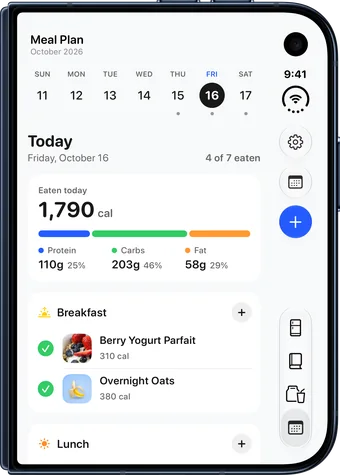
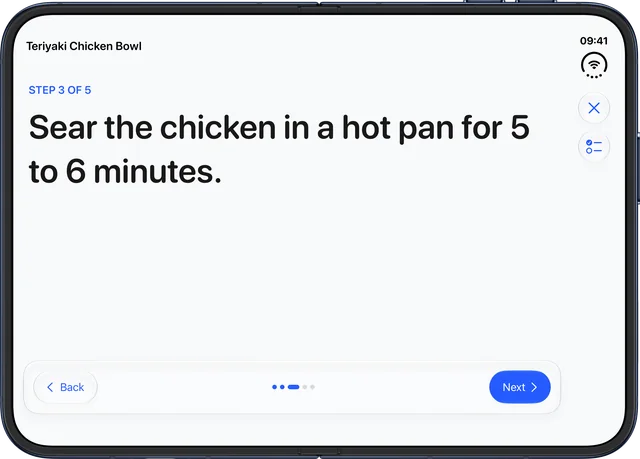
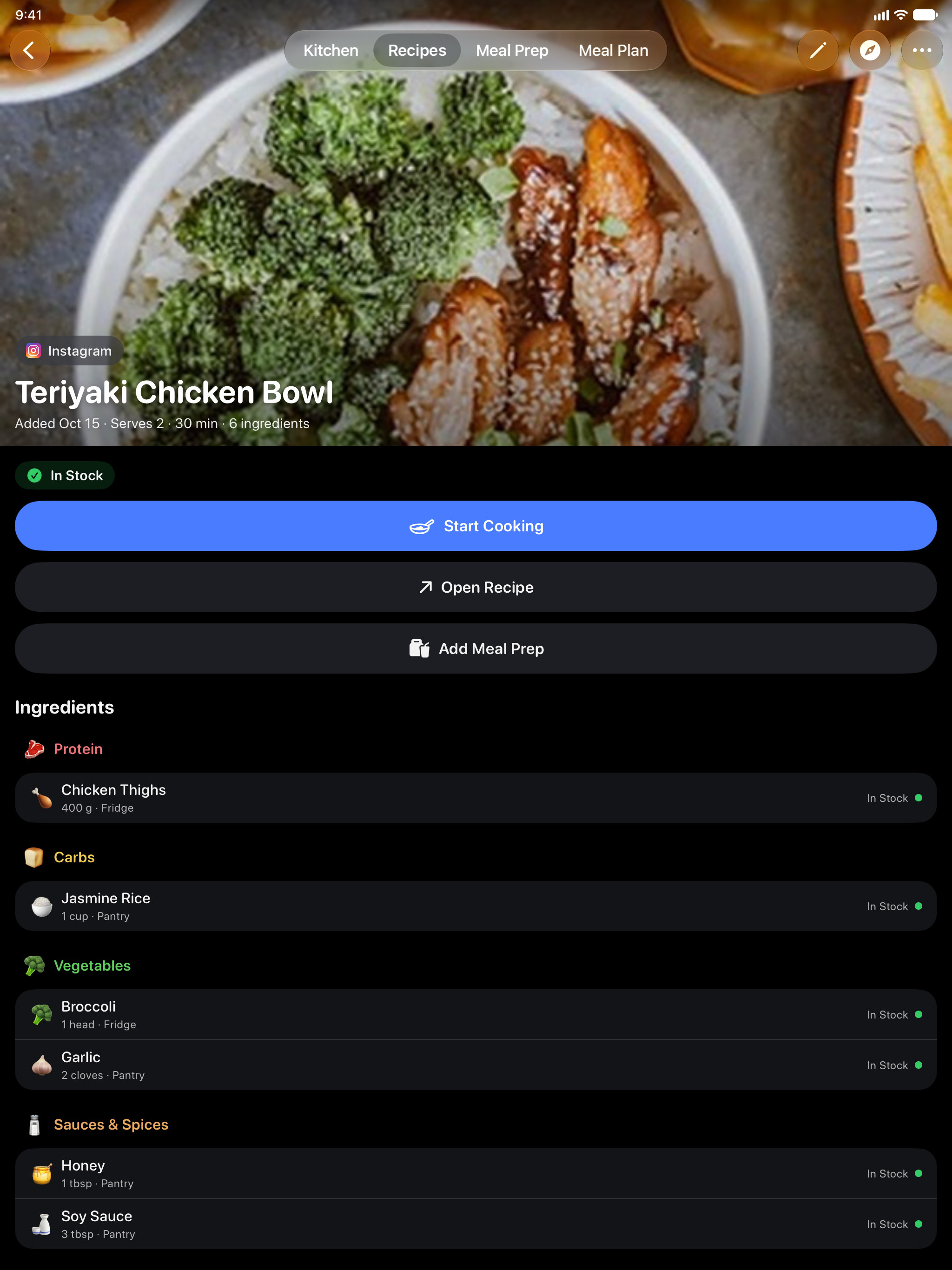
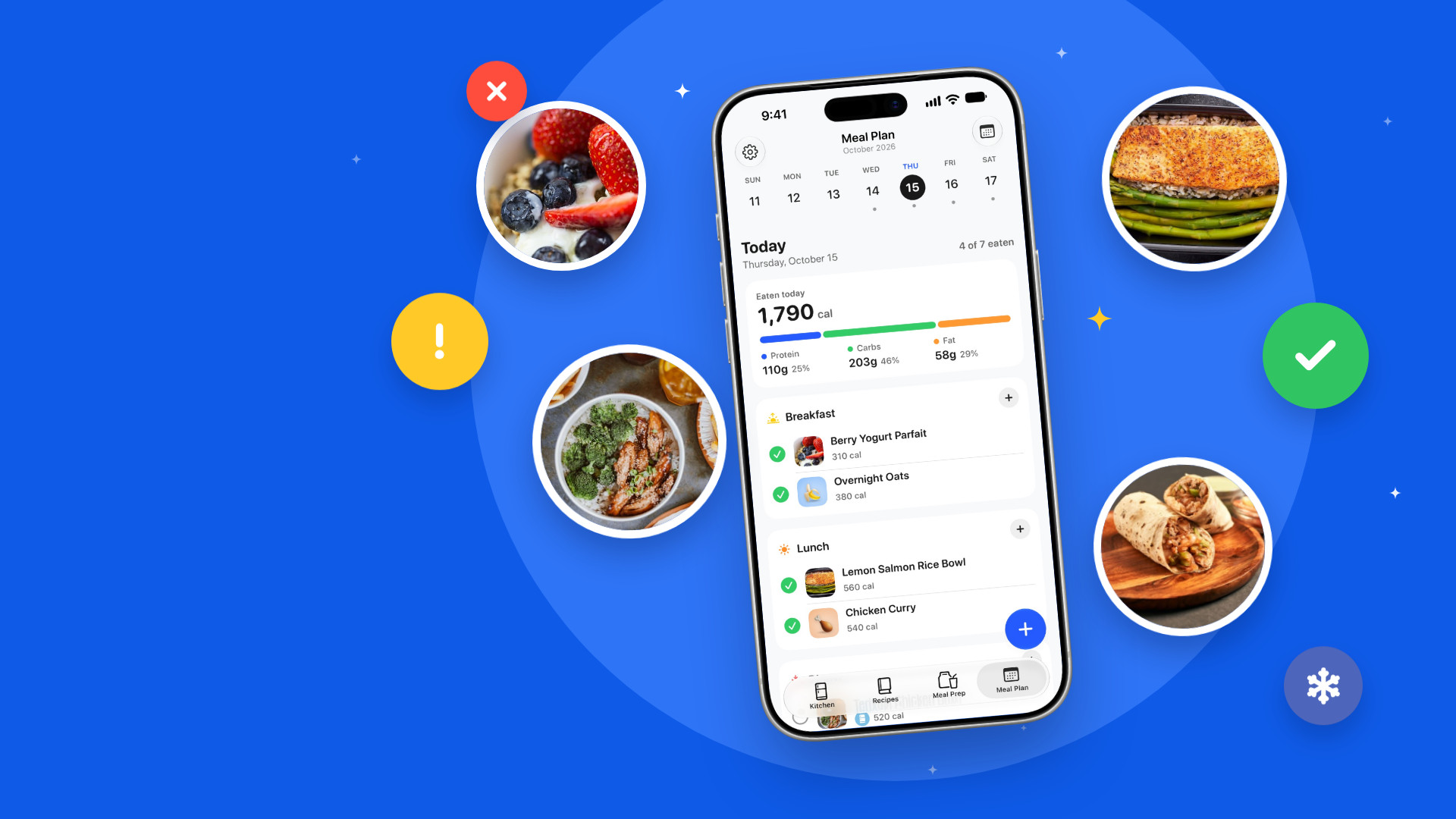
Meal Prep keeps track of each batch a user cooks, where it is stored and how many meals are left. Tapping Eat lowers the count and adds that meal’s calories and macros to the day. On the Meal Plan, users plan breakfast, lunch, dinner and snacks, put their meal preps on the days they will eat them and check meals off as they go. Start Cooking shows a recipe one large step at a time, with an ingredient checklist.

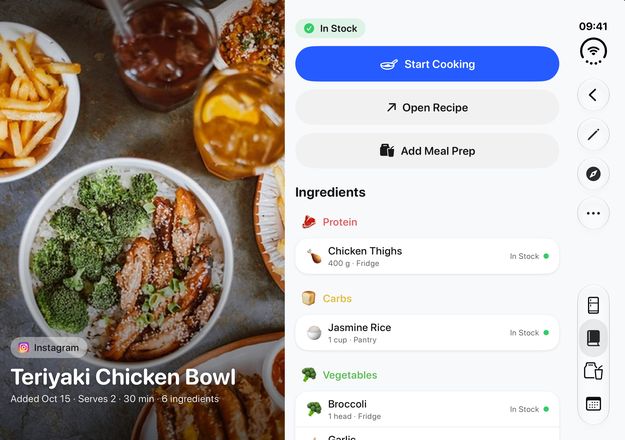
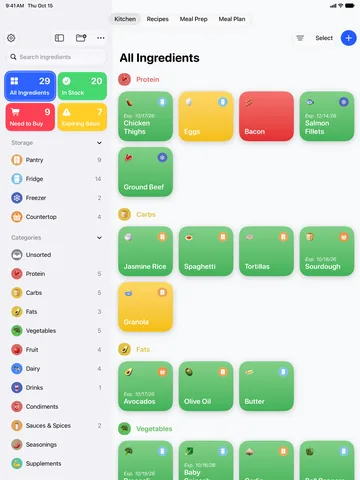
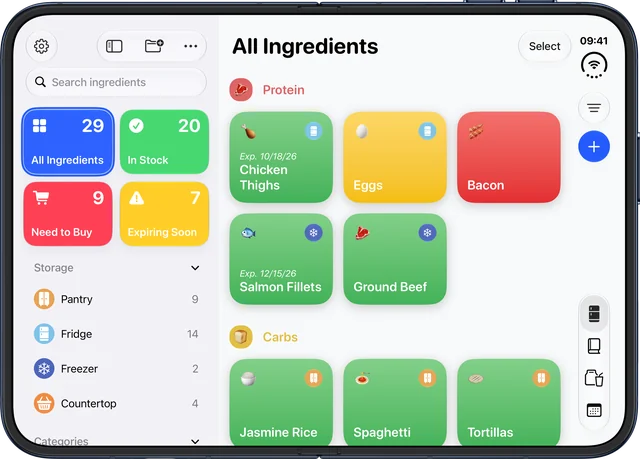
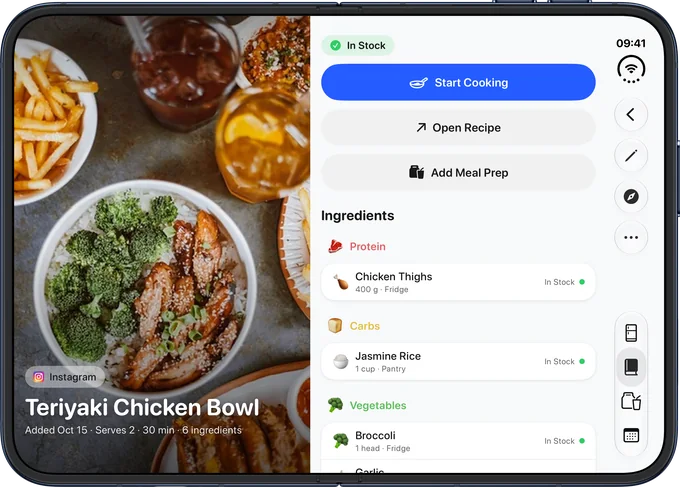
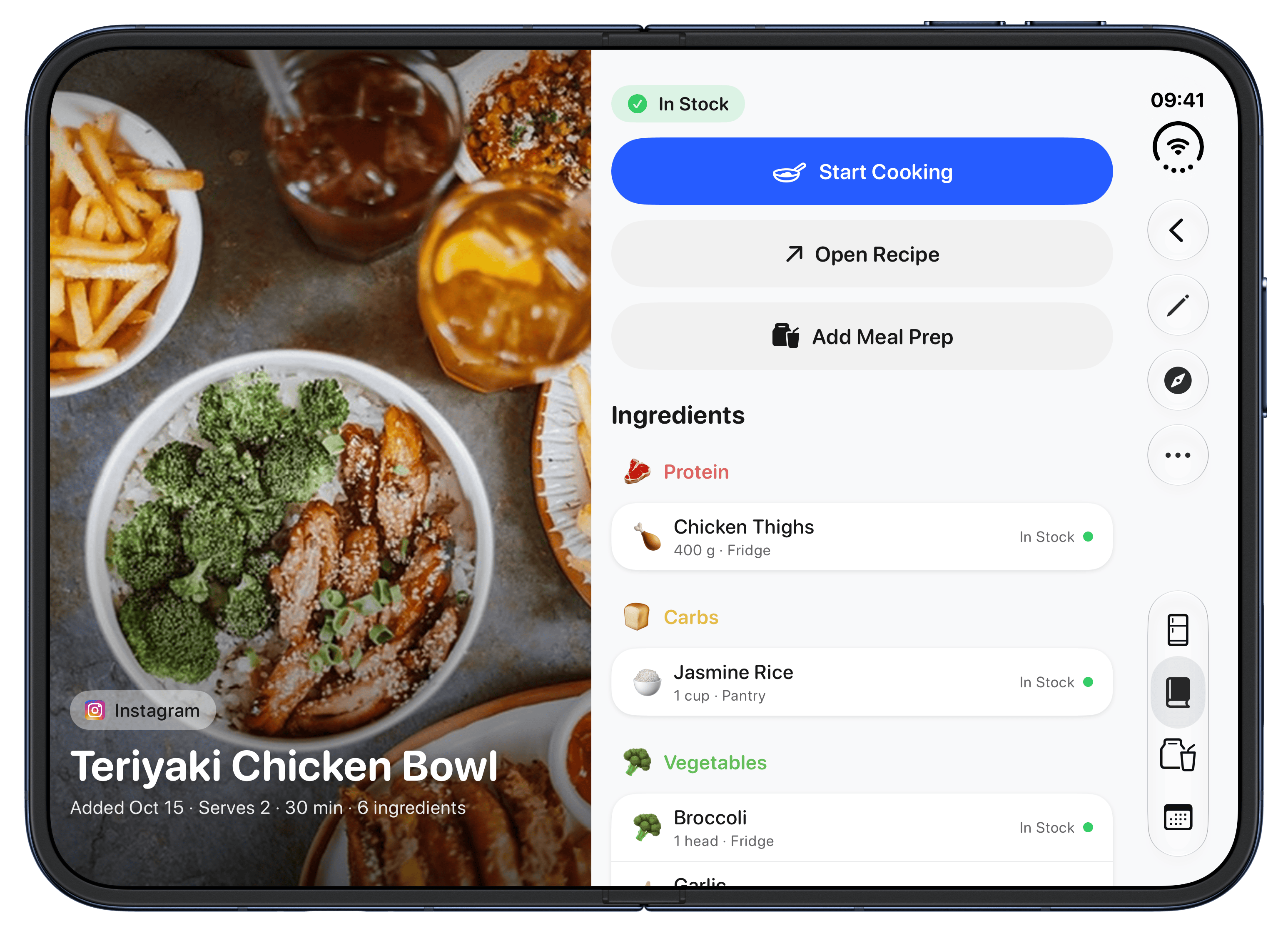
EasyPantry works with Apple Health (Pro), saving the meals a user eats with their calories and macros. It writes to Health and never reads from it. The app also has five Home Screen widgets (Pro), Siri and Shortcuts actions, iCloud sync (Pro) and Dark Mode. On an open iPhone Duo, the kitchen sidebar sits beside the ingredient list, and a recipe’s photo sits on one side with the recipe on the other.

Cornejo, who designs, builds and supports the app himself, said: "I wanted an ingredient and meal prep tracker that was actually easy to use, so I asked myself what Apple would build, and EasyPantry is my answer. It’s designed to feel like Apple’s own apps, so there’s nothing to learn and everything makes sense right away. Meal prepping helped me lose 45 pounds, and EasyPantry made that journey so much easier."

Nutrition figures from Craft Recipe are estimates, not medical or dietary advice.

Pricing and availability

EasyPantry 2.0 is available now as a free download on the App Store in 10 languages: English, Spanish, French, German, Italian, Portuguese (Brazil), Japanese, Korean, Chinese (Simplified) and Hindi. It requires iOS 26 or iPadOS 26 or later. The free version includes up to 25 ingredients, two meal preps and unlimited recipes.

EasyPantry Pro costs $39.99 a year, starting with a seven-day free trial for new subscribers, or $5.99 a month with no trial. Pro adds unlimited ingredients and meal preps, Scan Groceries, Craft Recipe with nutrition and Set Macros, suggested expiration dates, ingredients read from imported recipes, custom storage places, Apple Health sync, iCloud sync and widgets. Prices are in U.S. dollars. The app has no ads and needs no account.

About EasyPantry

EasyPantry is a kitchen app for iPhone, iPad and iPhone Duo made by independent developer Dean Cornejo. It brings a pantry, fridge and freezer inventory, expiration reminders, recipes, meal prep and a meal planner together in one app. It first launched on the App Store on September 22, 2026.

Media contact

Dean Cornejo
support@easypantryapp.com

###
Facts

NameEasyPantry, written as one word. Its App Store listing is titled "Easy Pantry: Inventory Tracker".
What it isPantry inventory, expiration reminders, recipes, meal prep and a meal planner in one app.
Current version2.0.10
PlatformsiPhone, iPad and iPhone Duo
Languages10: English, Spanish, French, German, Italian, Portuguese (Brazil), Japanese, Korean, Chinese (Simplified) and Hindi
PriceFree, with up to 25 ingredients, 2 meal preps and unlimited recipes. EasyPantry Pro is $39.99 a year, starting with a 1-week free trial ($3.33 a month, 44% less than monthly), or $5.99 a month with no trial. Prices are in US dollars.
Account and adsNo account to create, and no ads.
DeveloperDean Cornejo, an independent app developer
First releasedSeptember 22, 2026, on the App Store
Press contactsupport@easypantryapp.com
App StoreEasyPantry on the App Store
Websiteeasypantryapp.com

Highlights

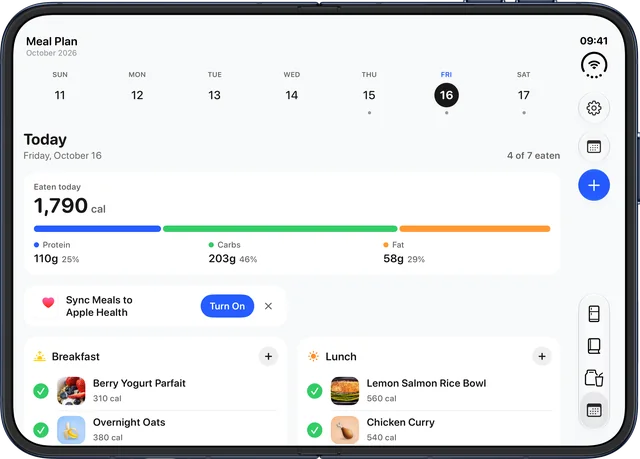
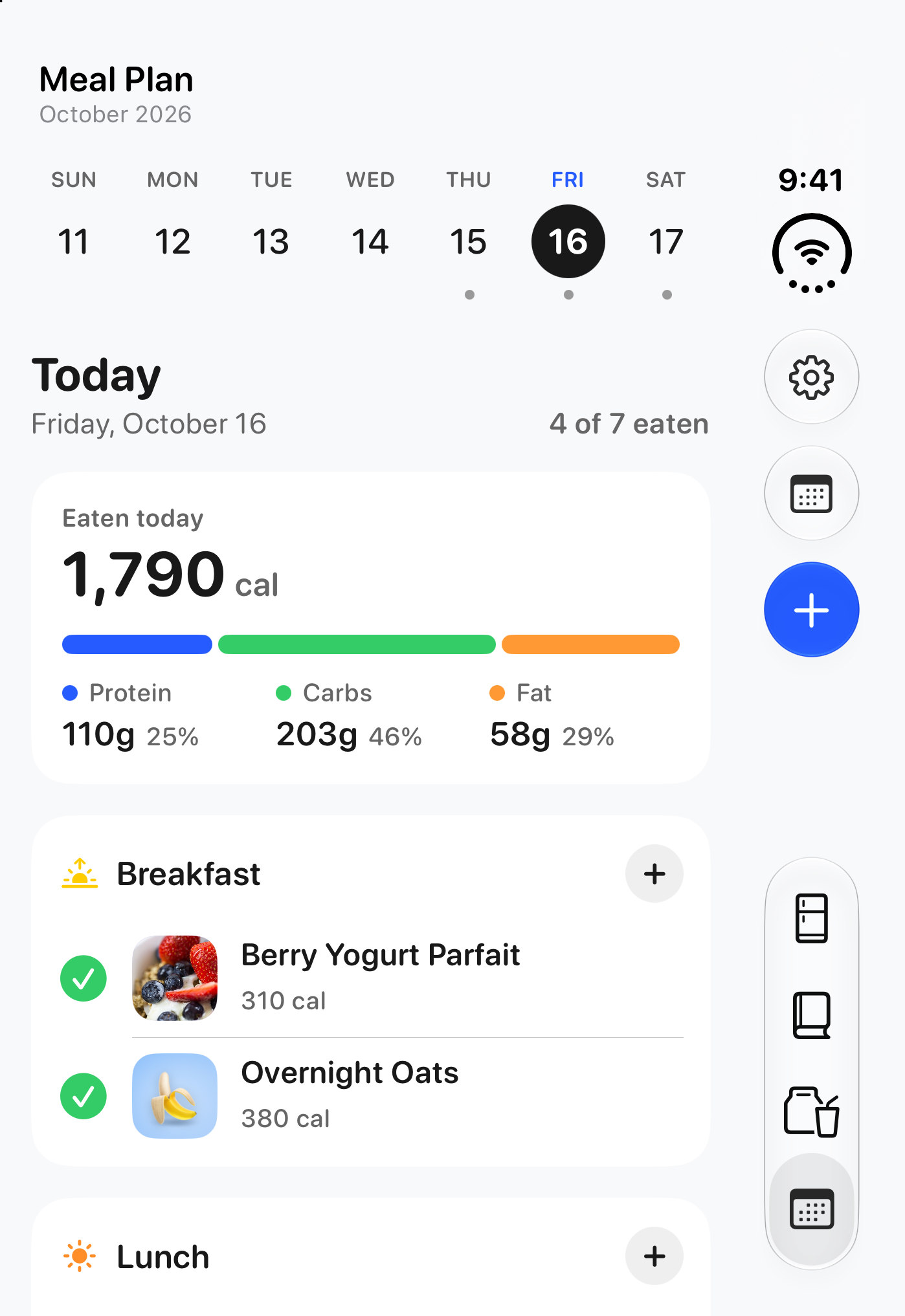
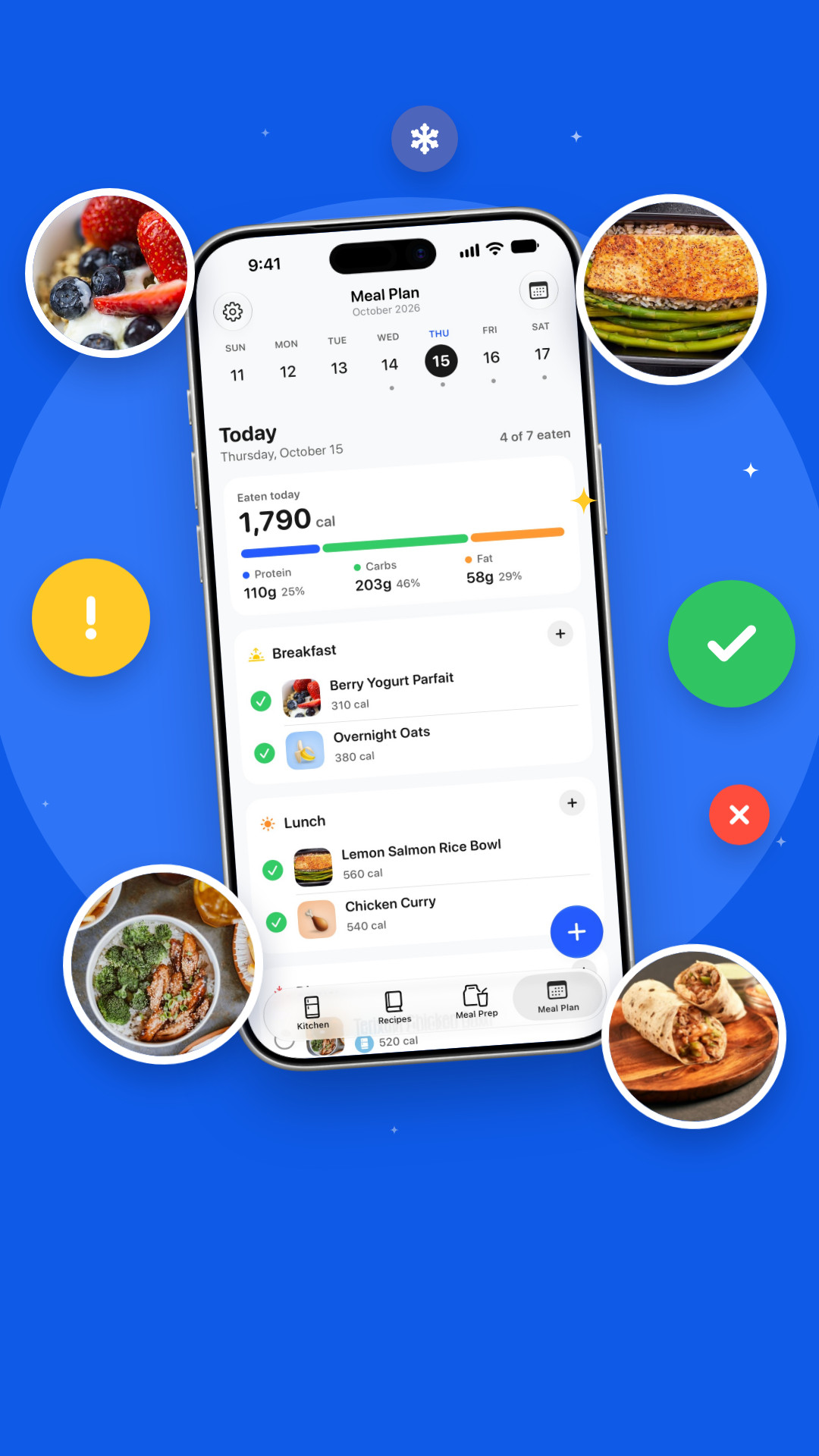
  • Meal Plan. Plan each day by mealtime from your meal preps, check meals off as you eat, and see each day’s calories, protein, carbs and fat.
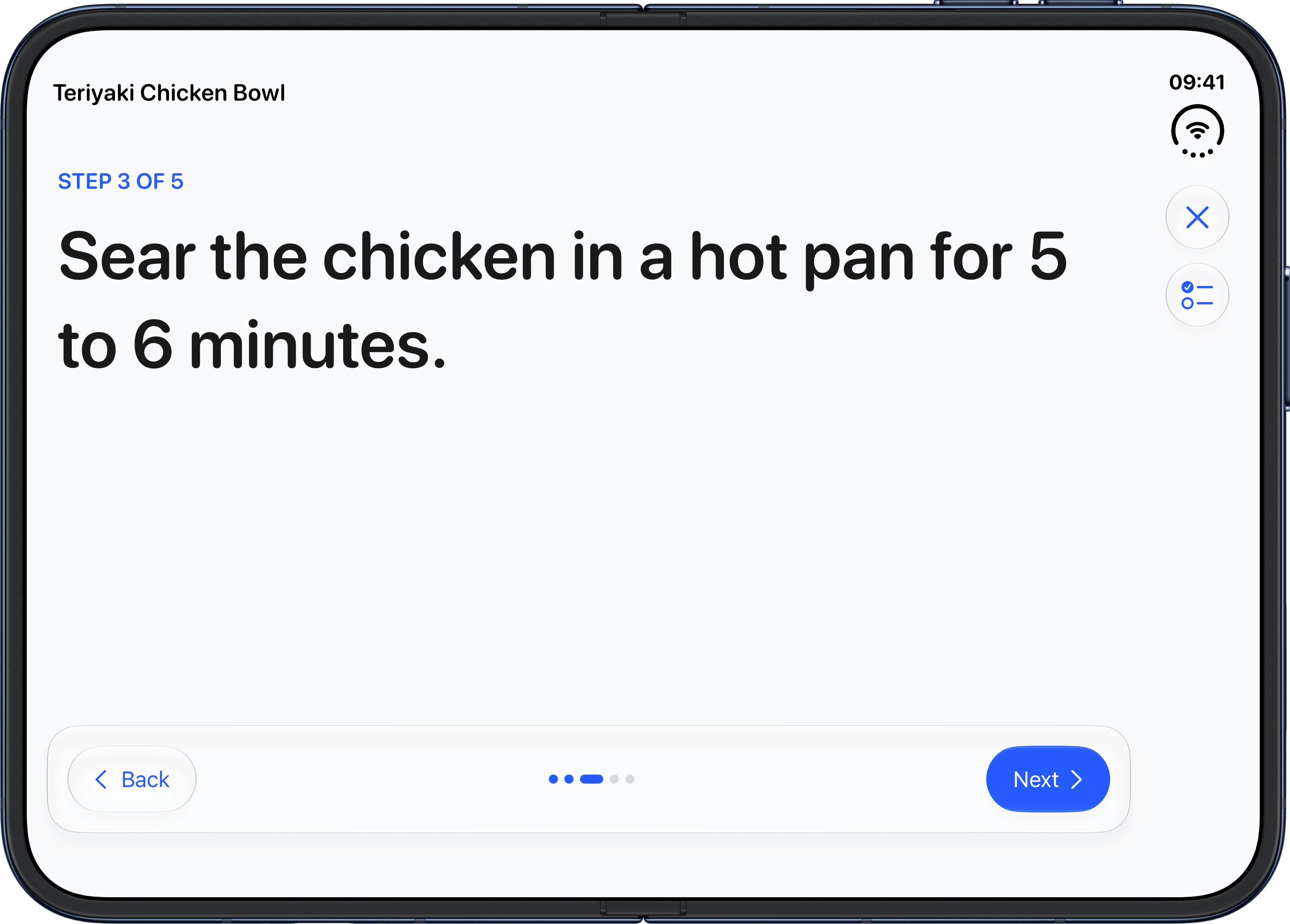
  • Cook mode. Start Cooking shows a recipe one big step at a time, with an ingredient checklist.
  • Apple Health (Pro). Sync the meals you eat, with their calories and macros.
  • iPad and iPhone Duo support.
  • Today’s Meal Plan widget for the Home Screen (Pro), and Siri can tell you what’s on your Meal Plan.

Features

Features marked Pro need the EasyPantry Pro subscription. Everything else is in the free app.

Kitchen

  • Your inventory by where it’s kept: pantry, fridge, freezer or countertop, plus storage places of your own (custom ones are Pro)
  • In Stock, Low Stock or Out of Stock at a glance, in green, yellow and red
  • Need to Buy: everything that’s low or out, grouped by category and kept up to date for you
  • Categories, and search across ingredients, recipes and meal preps
  • Expiration reminders and thaw reminders
  • Automatic expiration dates: an estimate of how long a food keeps (Pro)
  • Scan Groceries: scan a receipt or a photo of your groceries to add them (Pro)

Recipes

  • Save recipes from Instagram, TikTok, YouTube or any website through the share sheet
  • The recipe’s ingredients come in too, matched to what’s in your kitchen (Pro)
  • Every recipe shows what you have and what you still need, and Ready to Make lists what you can cook right now
  • Craft Recipe: recipe ideas from what’s in your kitchen (Pro)
  • Cook mode: one big step at a time, with the ingredients a tap away

Meal Prep and Meal Plan

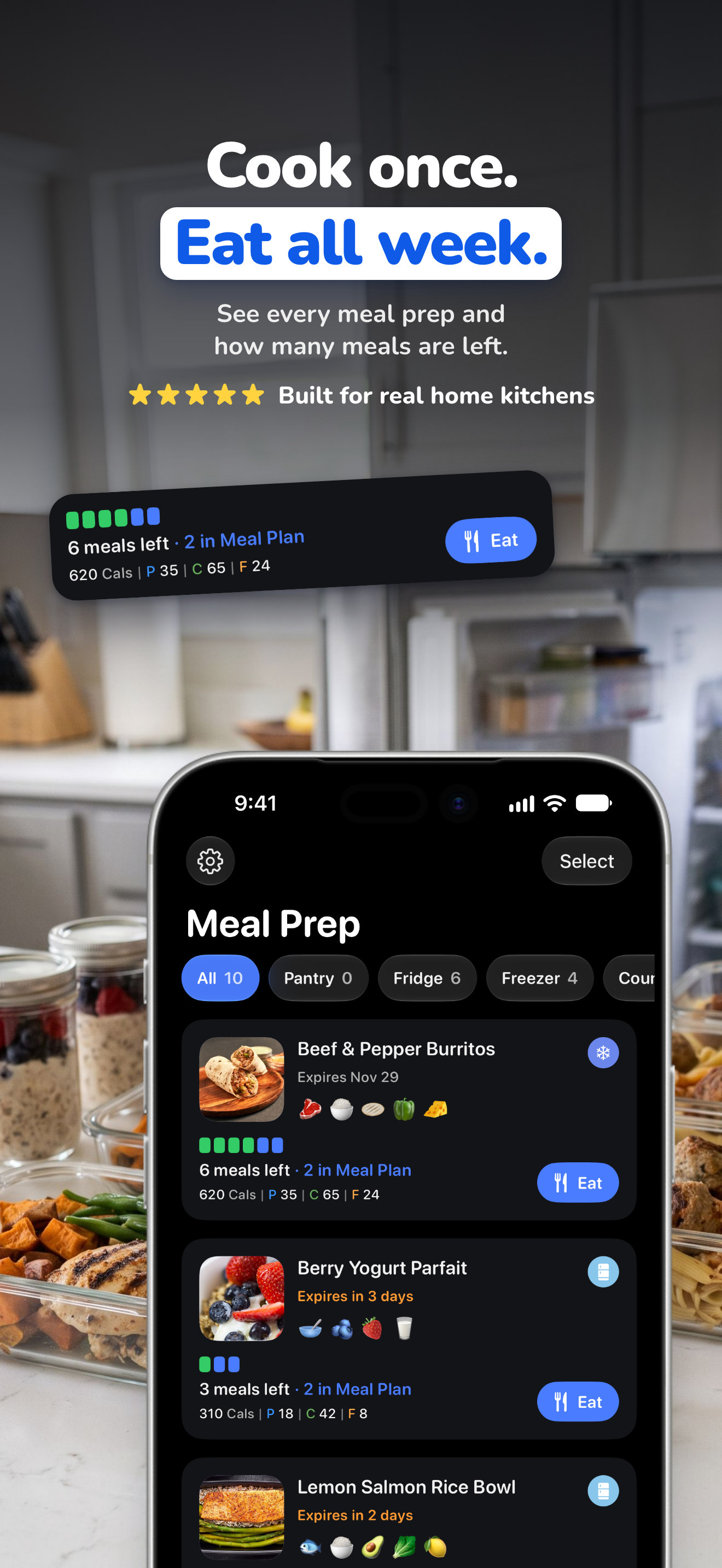
  • Meal Prep: save each batch you cook, see how many meals are left, tap Eat and use Make Again from Recently Eaten
  • Meal Plan: plan the week, check meals off and see the day’s calories and macros
  • Works with Apple Health (Pro): the meals you check off are saved to Health with their nutrition. EasyPantry only writes to Health and never reads from it.

Wherever you cook

  • Home Screen widgets (Pro), including a Kitchen overview, Need to Buy and Today’s Meal Plan
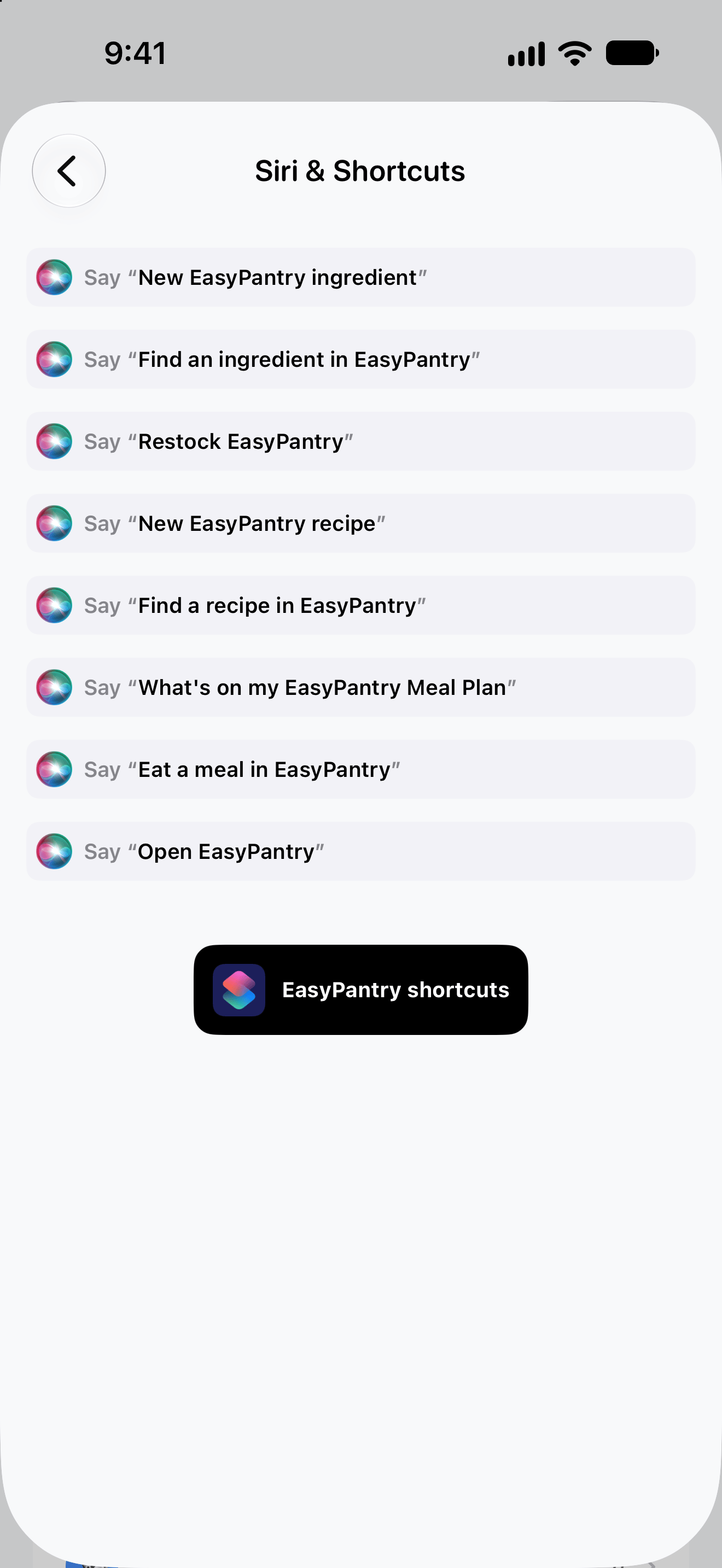
  • Siri and Shortcuts: Today’s Meal Plan, Eat a Meal, Add to Meal Plan and updating what’s in stock
  • iCloud sync across your devices (Pro)
  • iPad and iPhone Duo support, new in 2.0
  • 10 languages, and Dark Mode

App icon and screenshots. Free to use in your coverage.

Every image shows the current App Store version of EasyPantry, in English. The images in the zips are JPEGs; the app icon is a PNG.

  • Images

    Zip · 19 MB

    The app icon, plus the English App Store images and plain app screenshots for iPhone, iPad and iPhone Duo, closed and open.

    Download
  • Dark Mode images

    Zip · 14 MB

    The English App Store images in Dark Mode for iPhone, iPad and iPhone Duo, and plain Dark Mode screenshots for iPhone, iPad and the closed iPhone Duo.

    Download
  • EasyPantry app icon

    App icon

    PNG · 1024 × 1024 · 415 KB

    The icon alone, with transparent corners.

    Download

Single screenshots

Each Download link saves the full-size file. The iPhone screenshots are 1320 × 2868 PNGs in English, and they show sample data.

iPhone

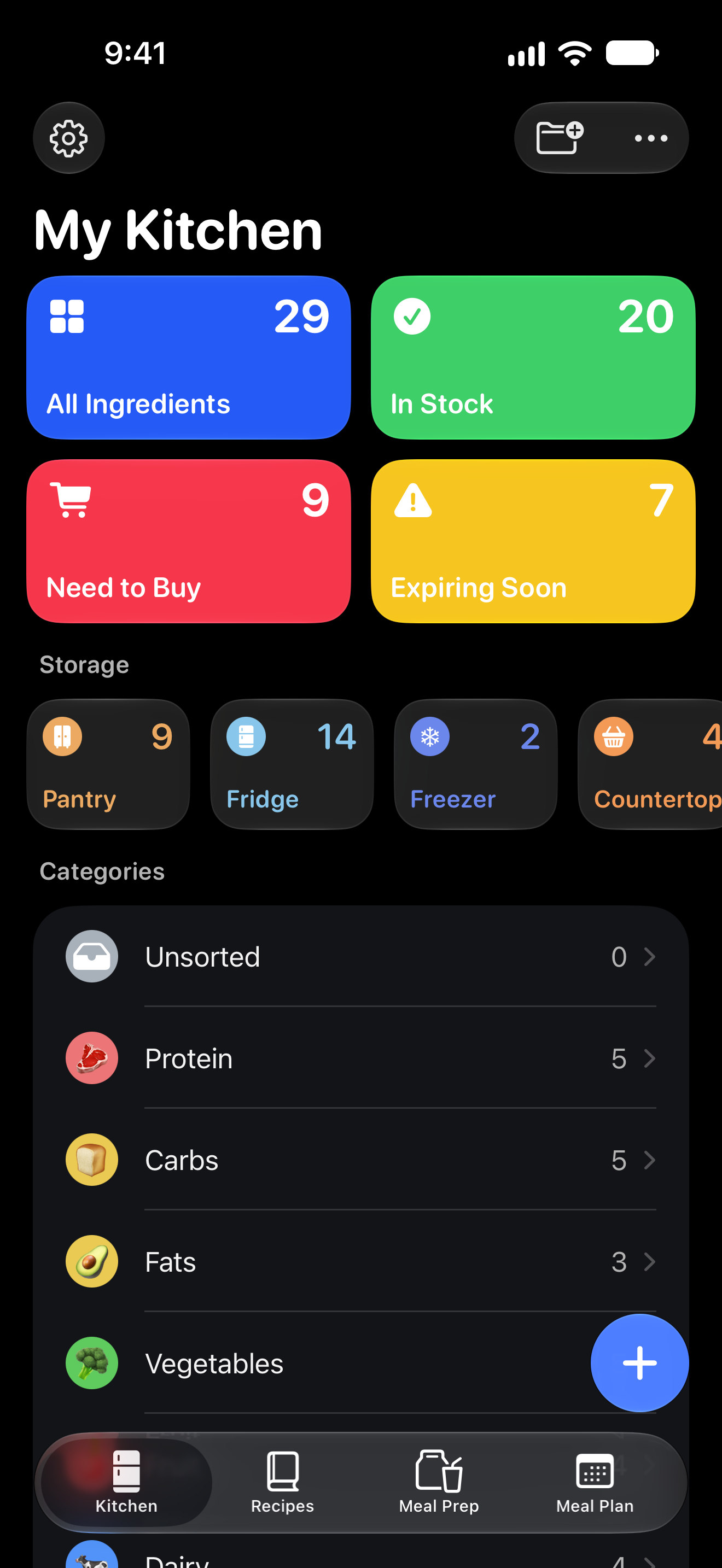
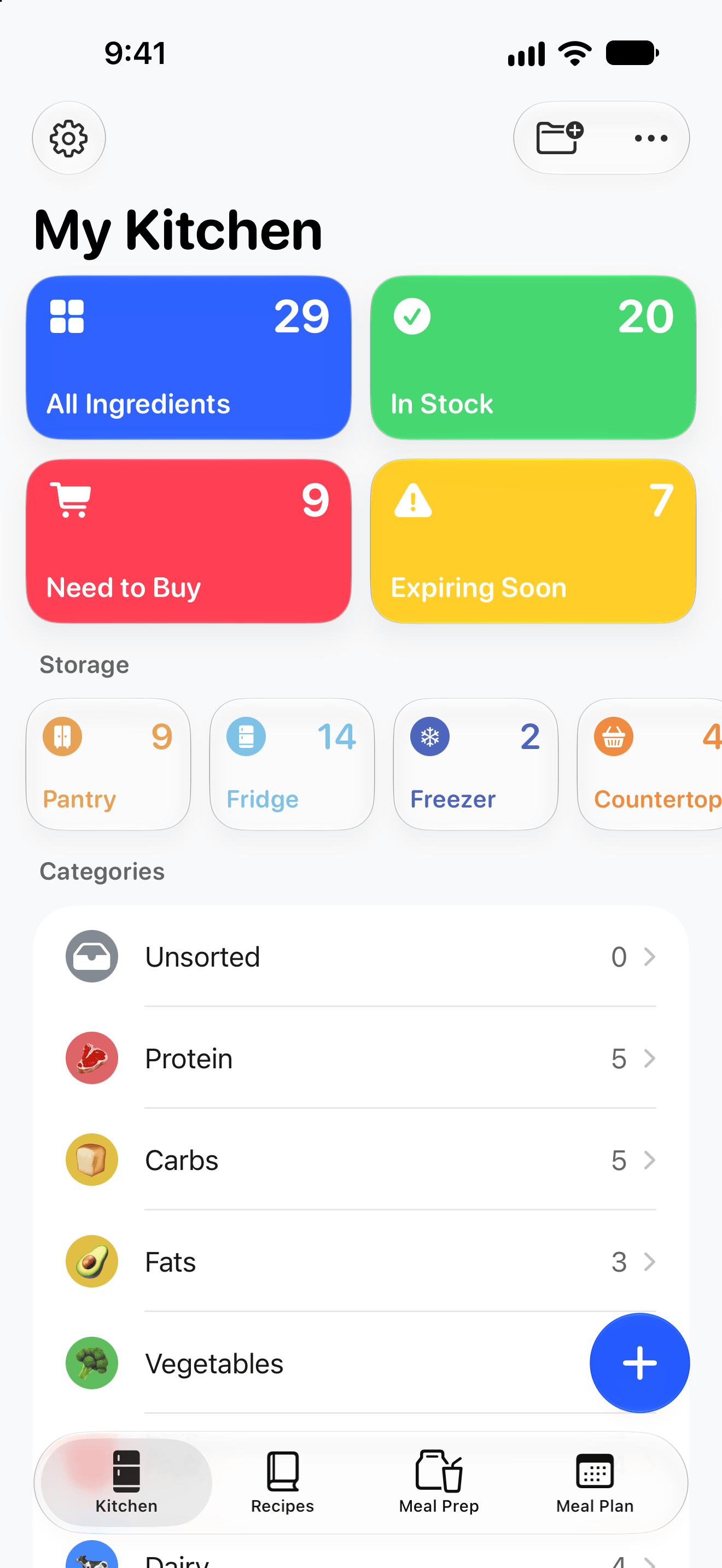
  • Kitchen

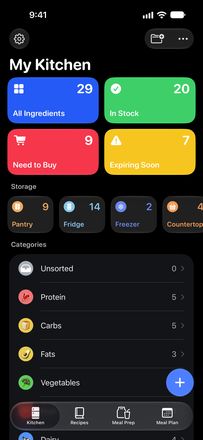
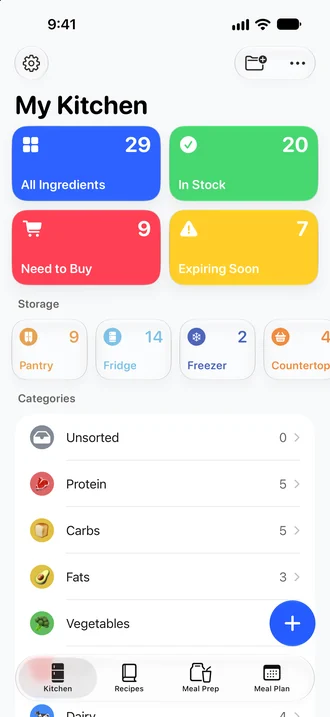
    My Kitchen: the four stat tiles, storage places and categories.

    PNG · 120 KB

    Download
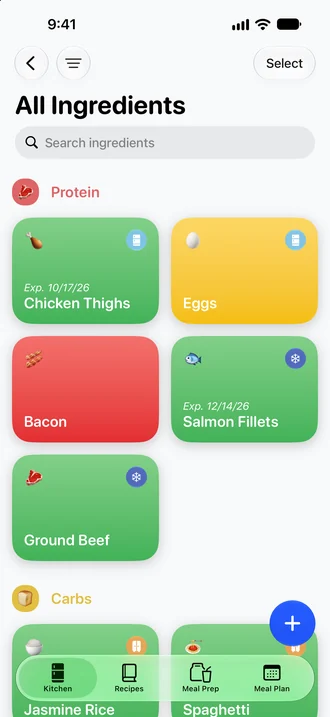
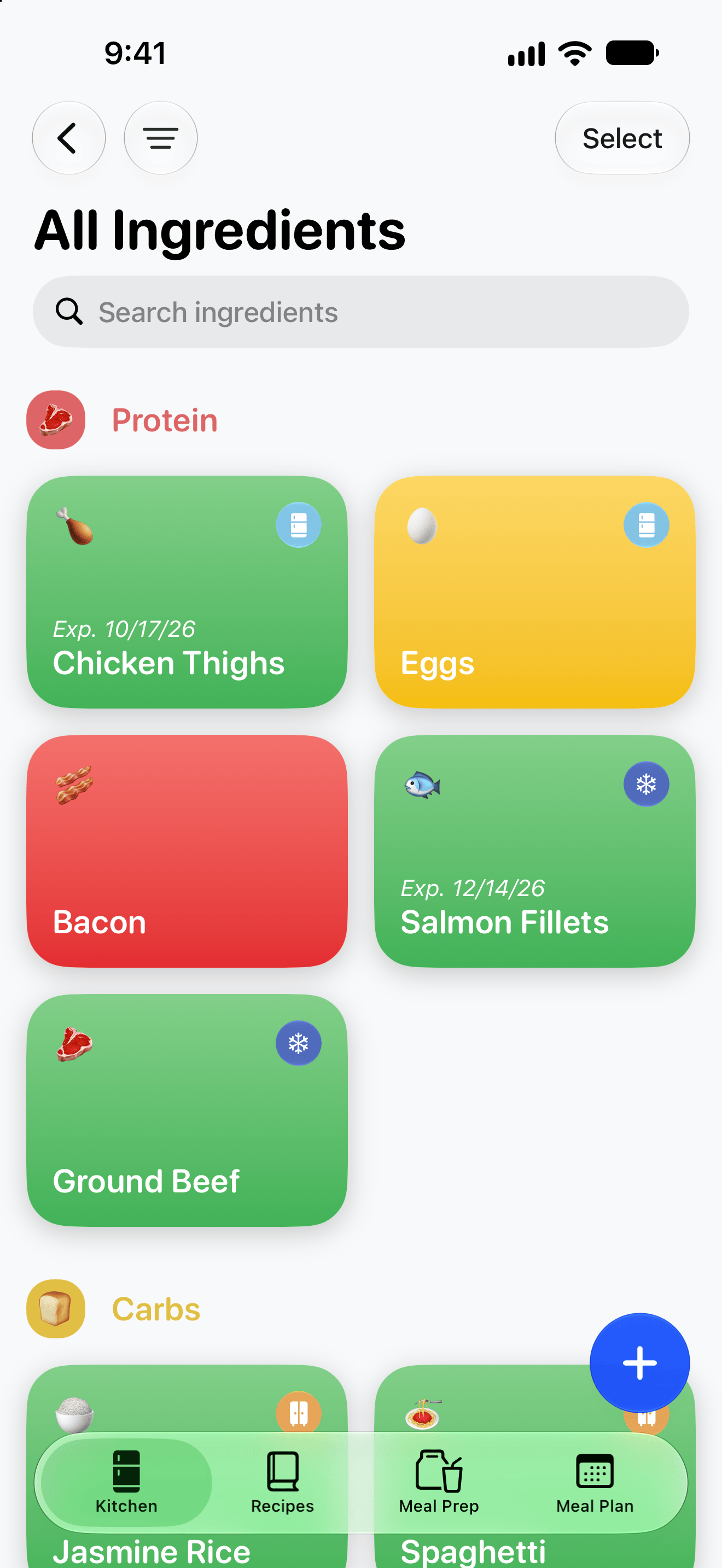
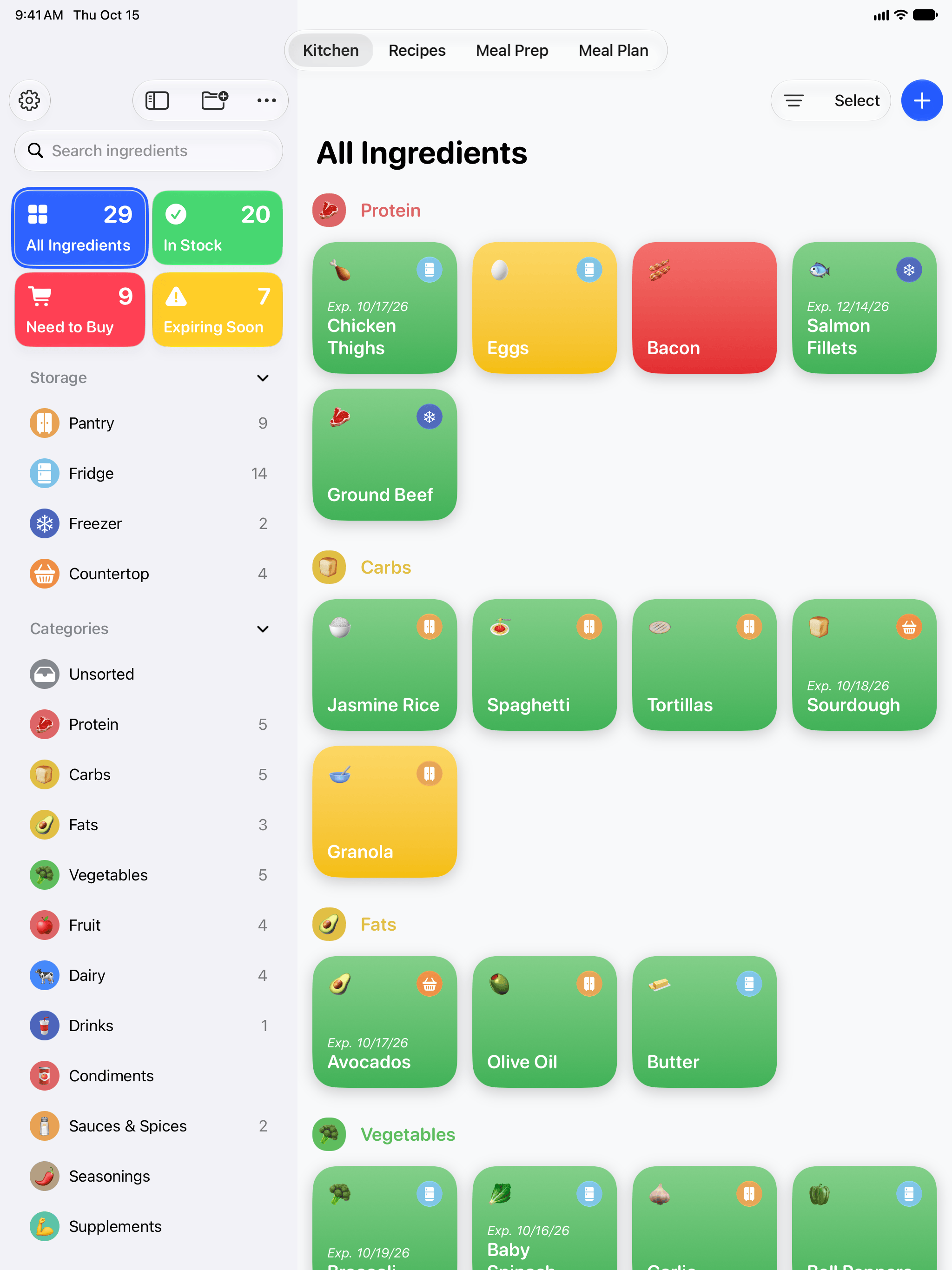
  • All Ingredients

    The ingredient grid, color-coded by stock.

    PNG · 192 KB

    Download
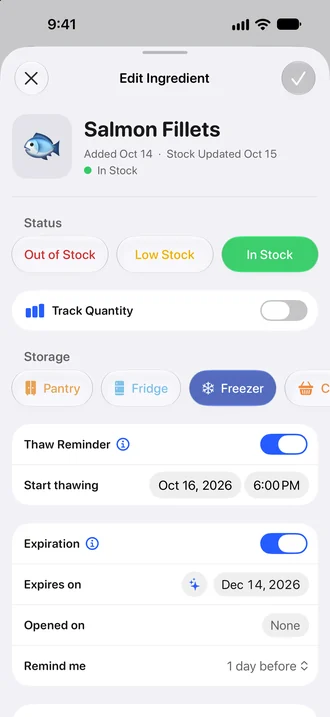
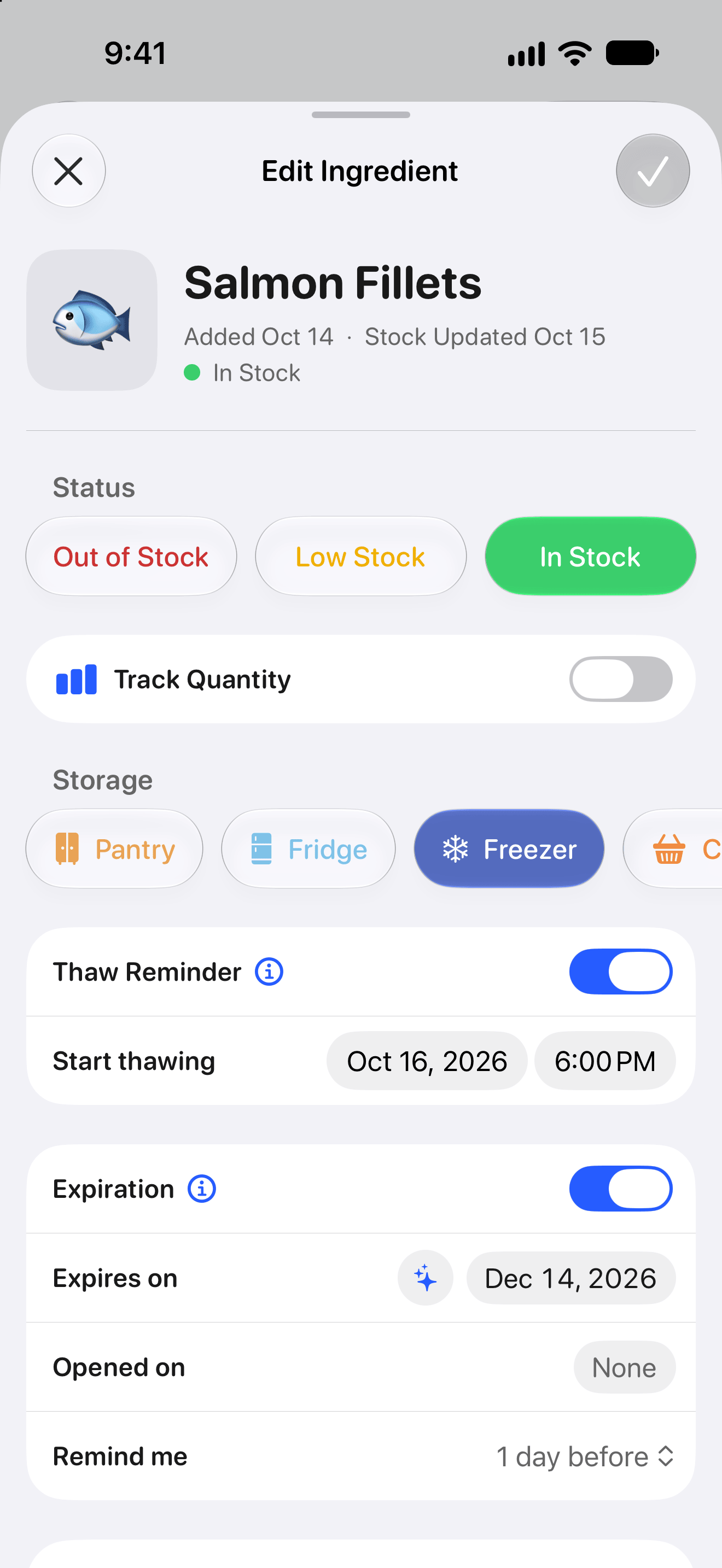
  • Edit Ingredient

    Stock status, storage place, thaw reminder and expiration date.

    PNG · 94 KB

    Download
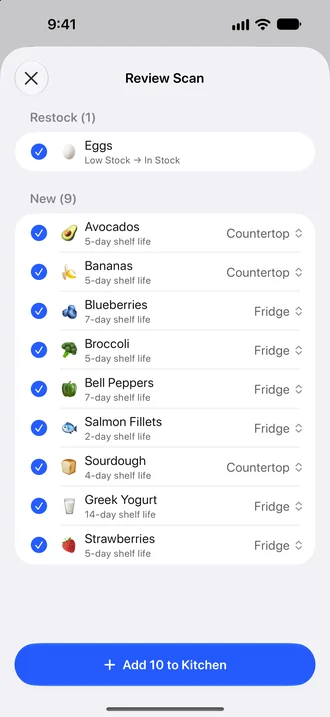
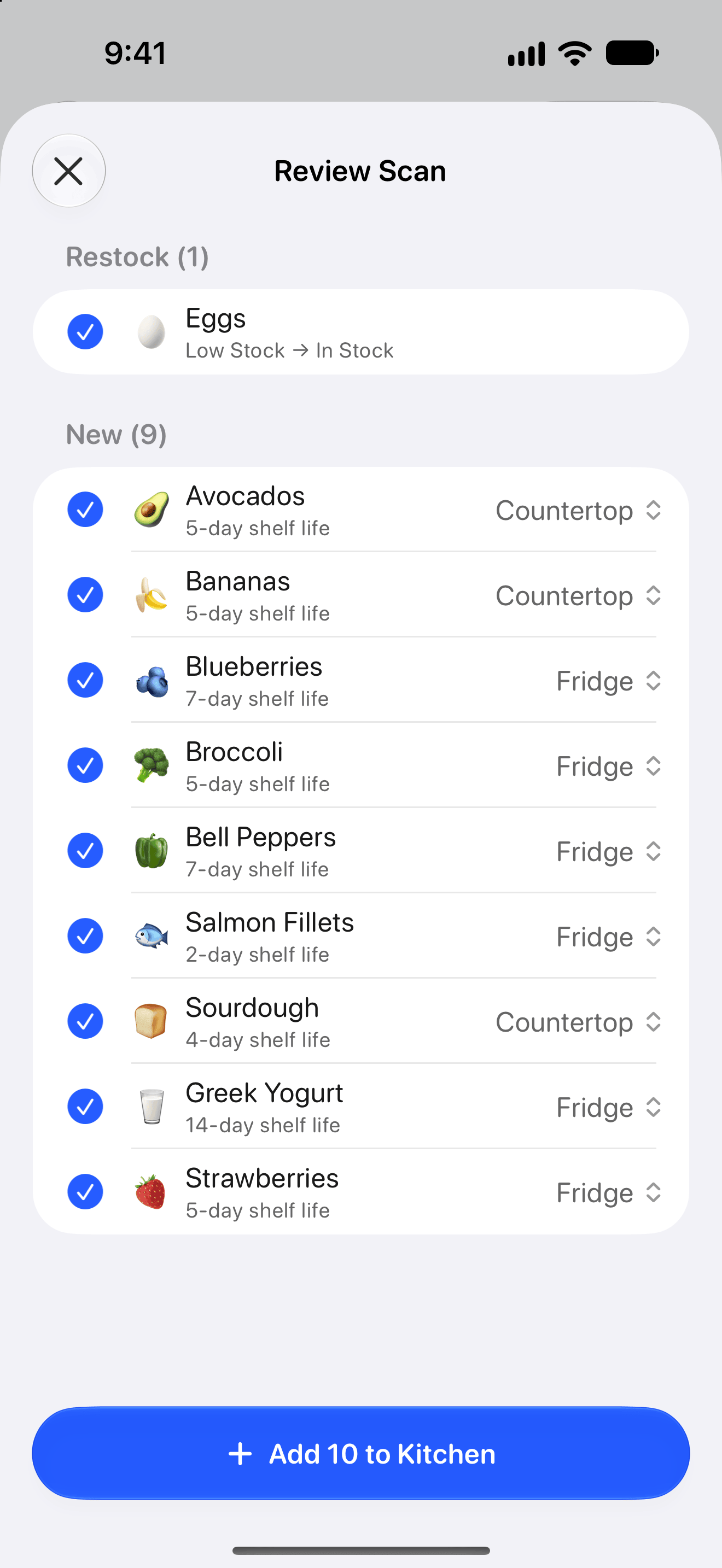
  • Scan Groceries

    The Review Scan list after a scan (Pro).

    PNG · 100 KB

    Download
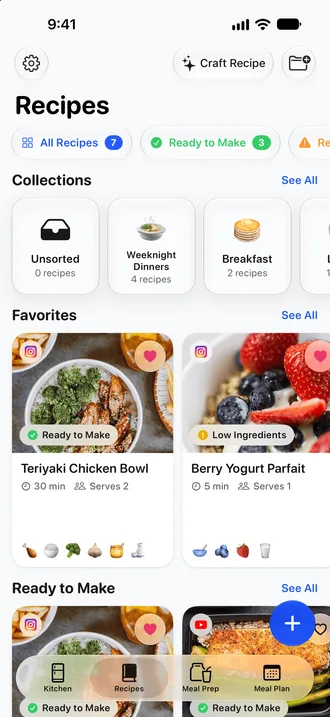
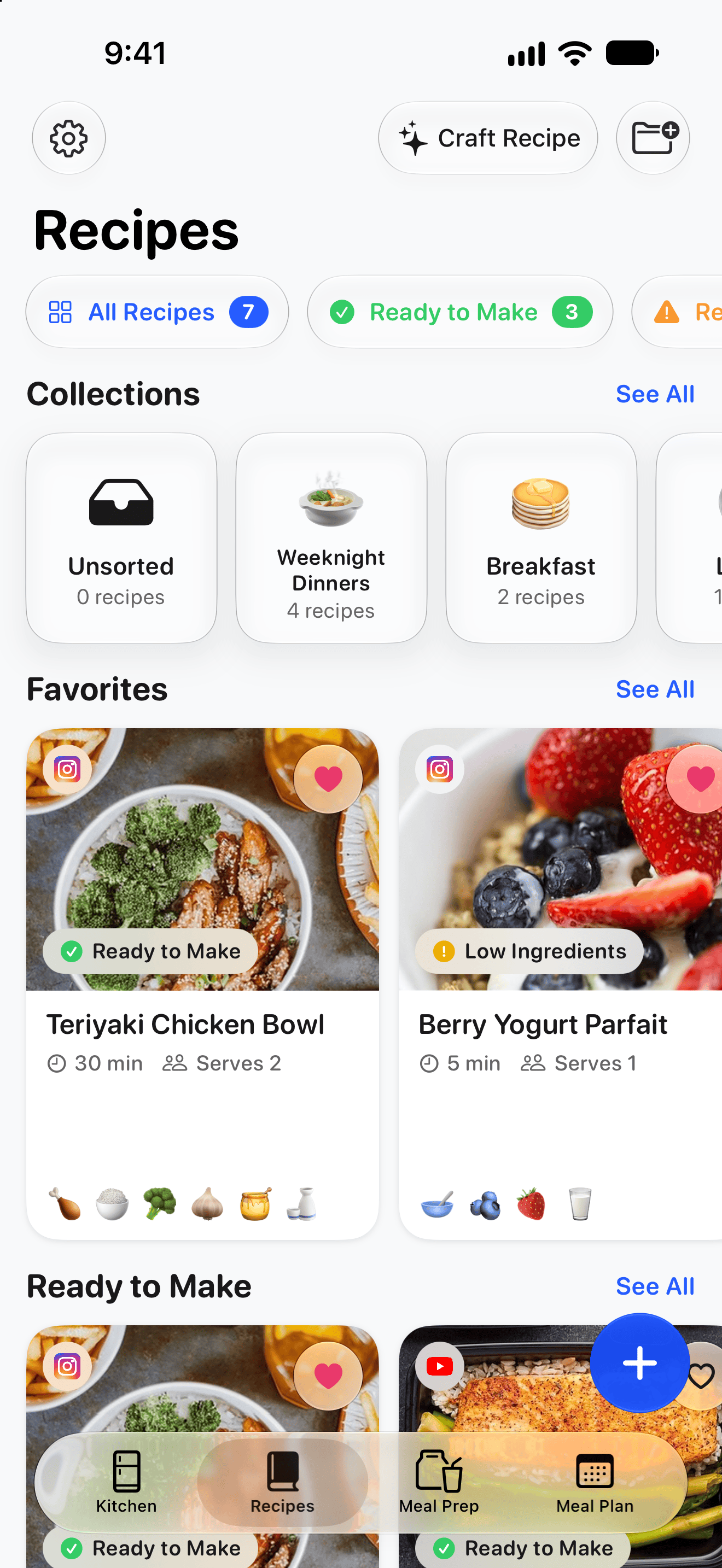
  • Recipes

    The Recipes tab.

    PNG · 591 KB

    Download
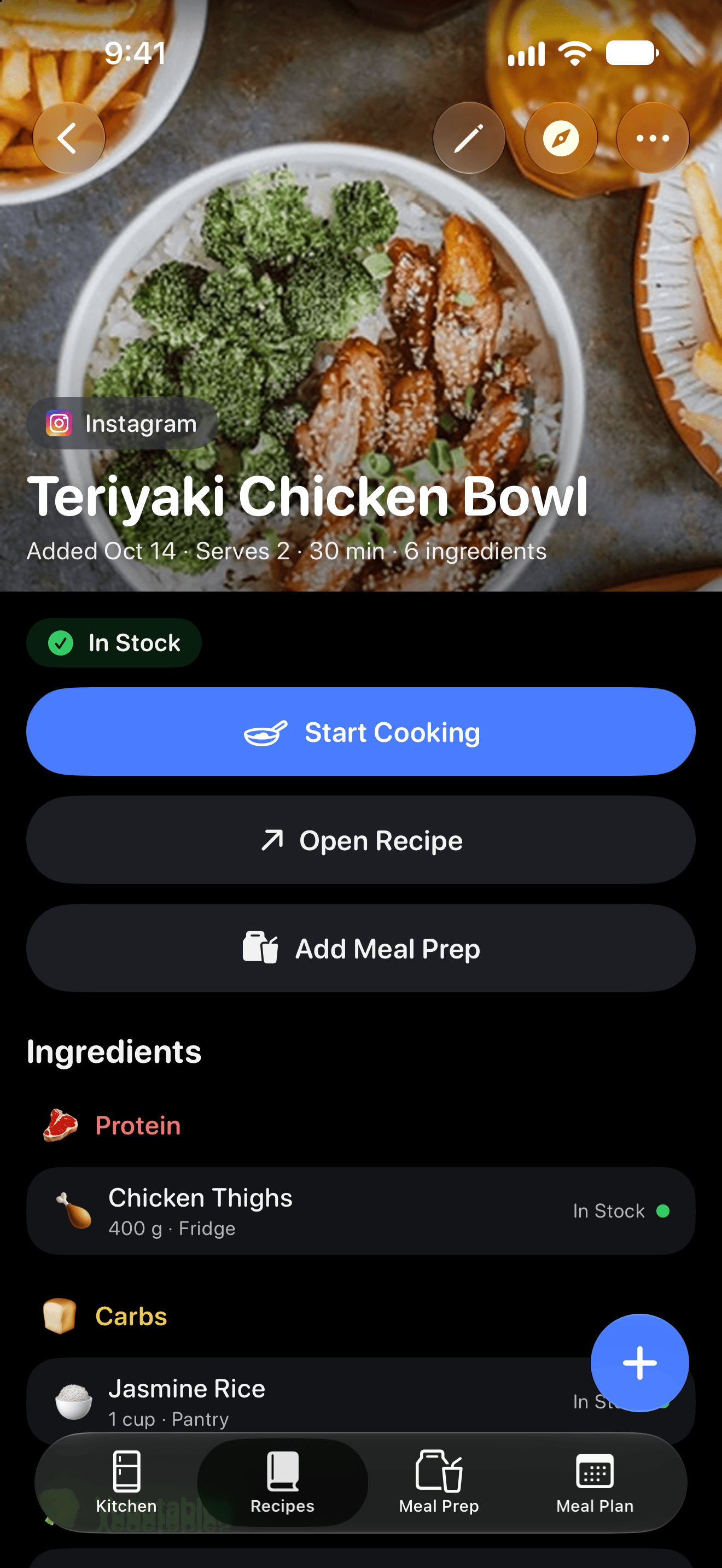
  • Recipe page

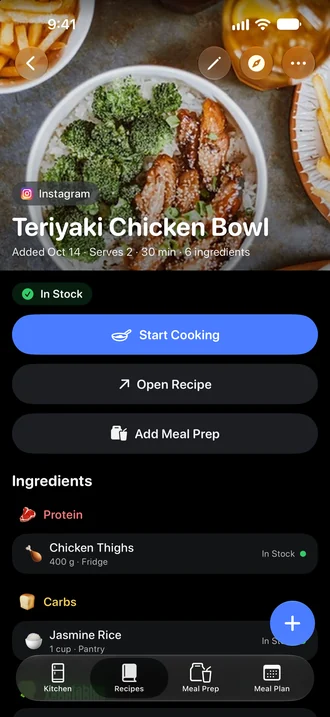
    A recipe saved from Instagram, in Dark Mode.

    PNG · 698 KB

    Download
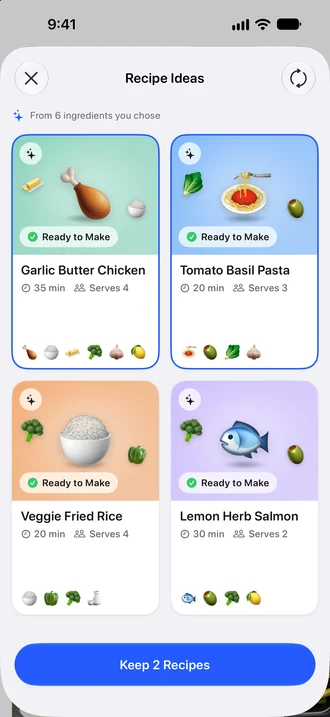
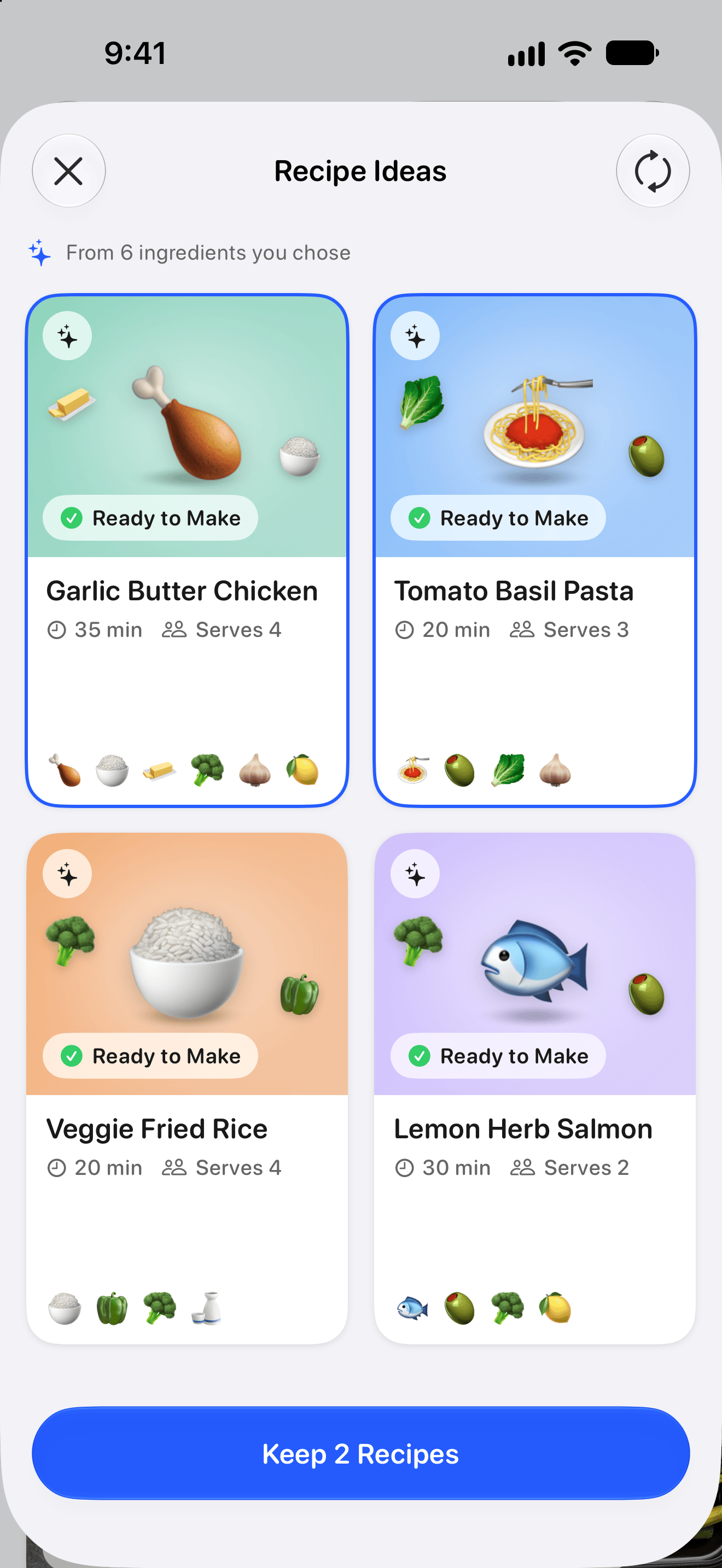
  • Craft Recipe

    Recipe Ideas made from chosen ingredients (Pro).

    PNG · 336 KB

    Download
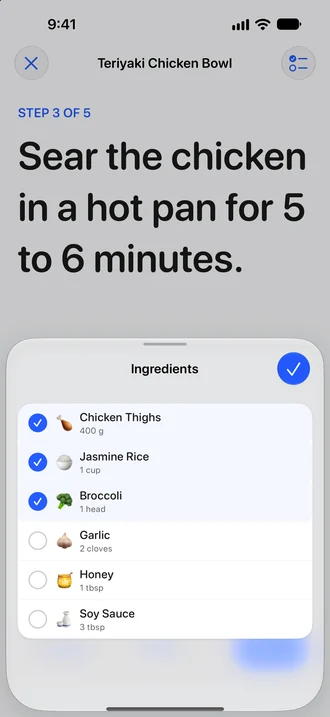
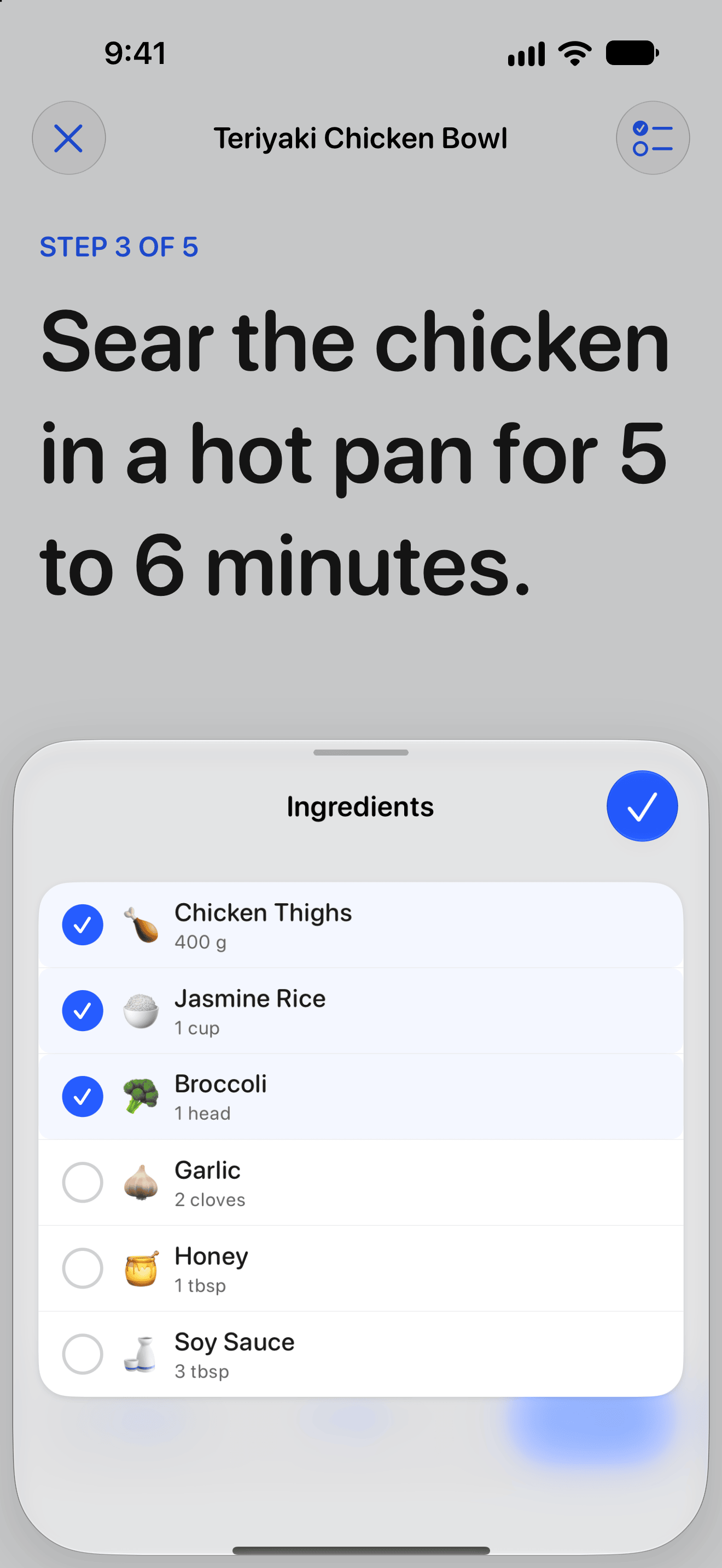
  • Cook mode

    One step in large type, with the ingredient checklist open.

    PNG · 107 KB

    Download
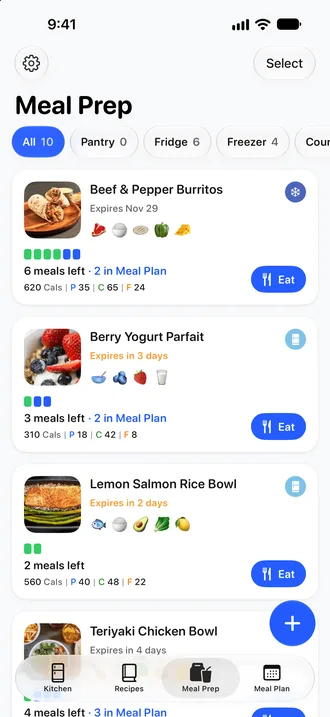
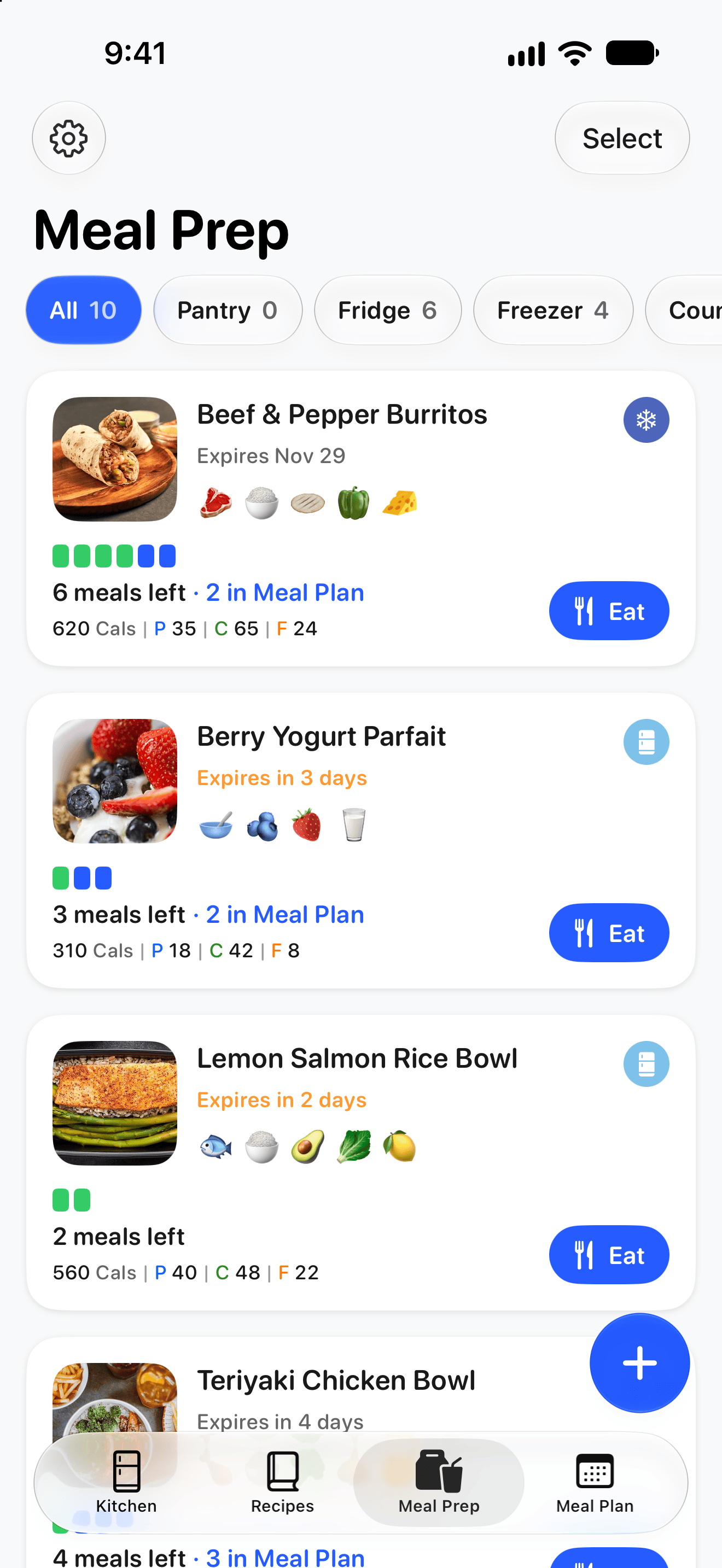
  • Meal Prep

    Prepped batches with meals left, macros and expiration dates.

    PNG · 267 KB

    Download
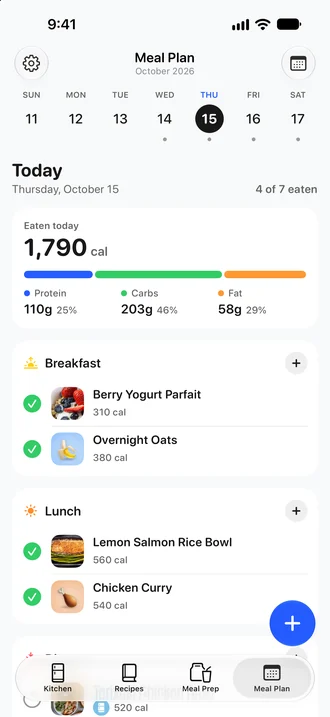
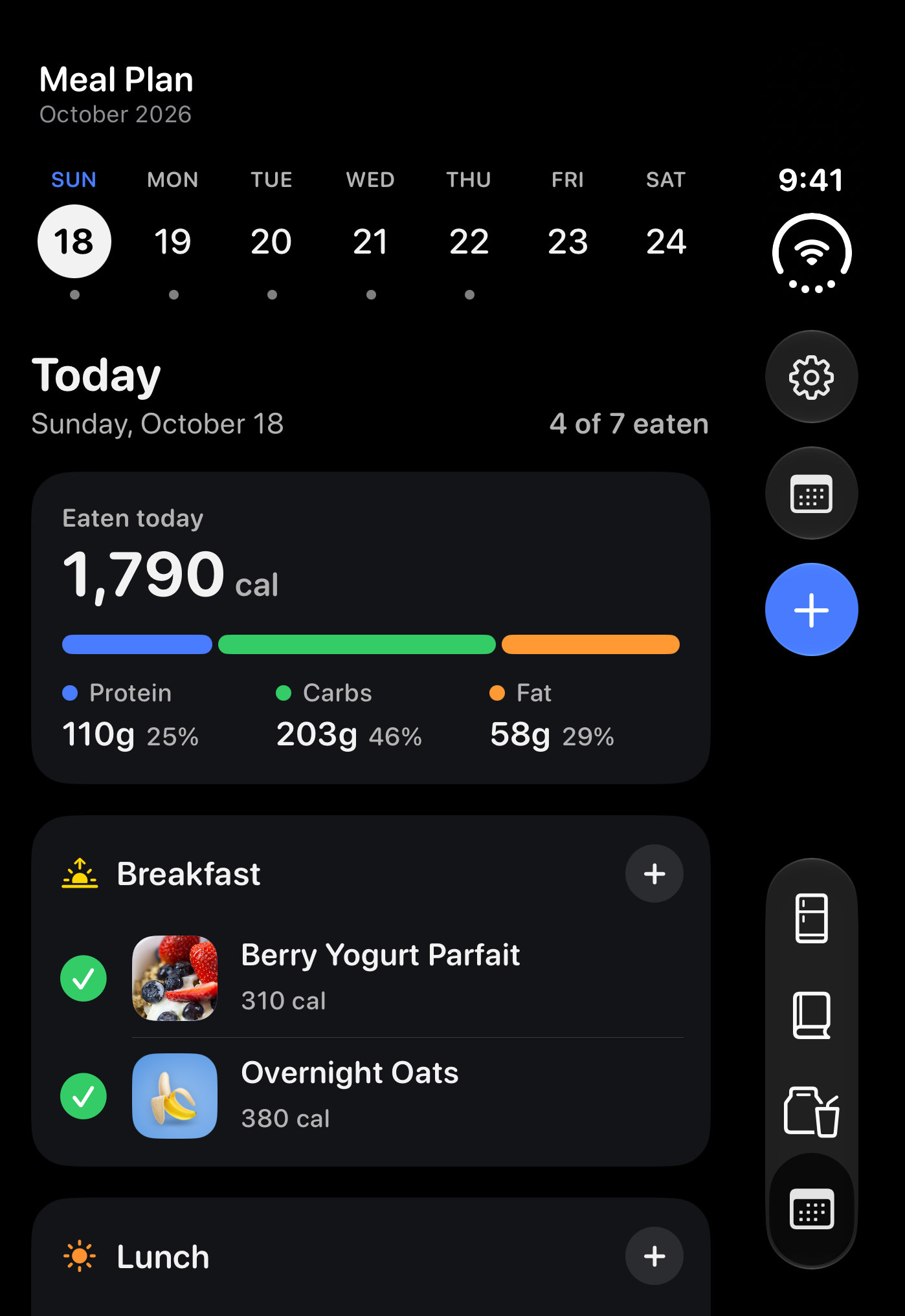
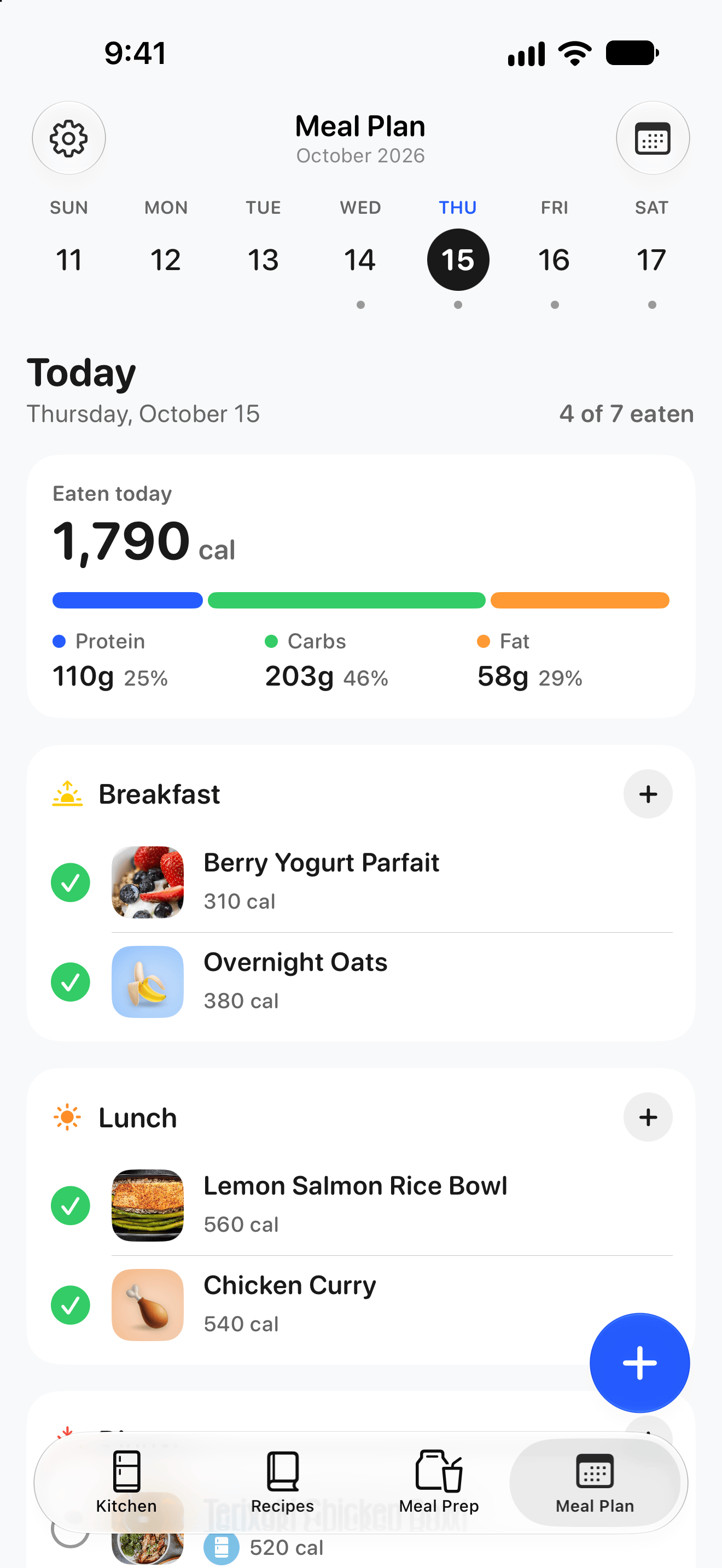
  • Meal Plan

    Today’s plan, with the day’s calories and macros.

    PNG · 149 KB

    Download
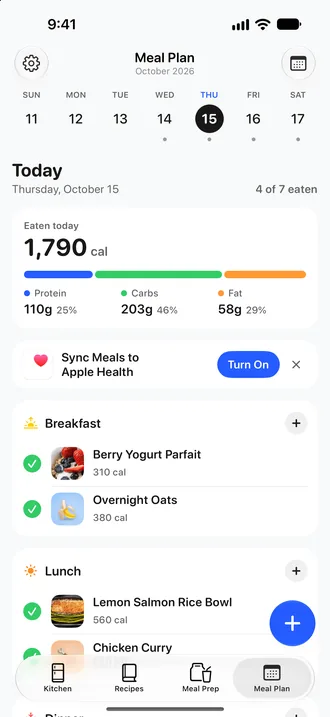
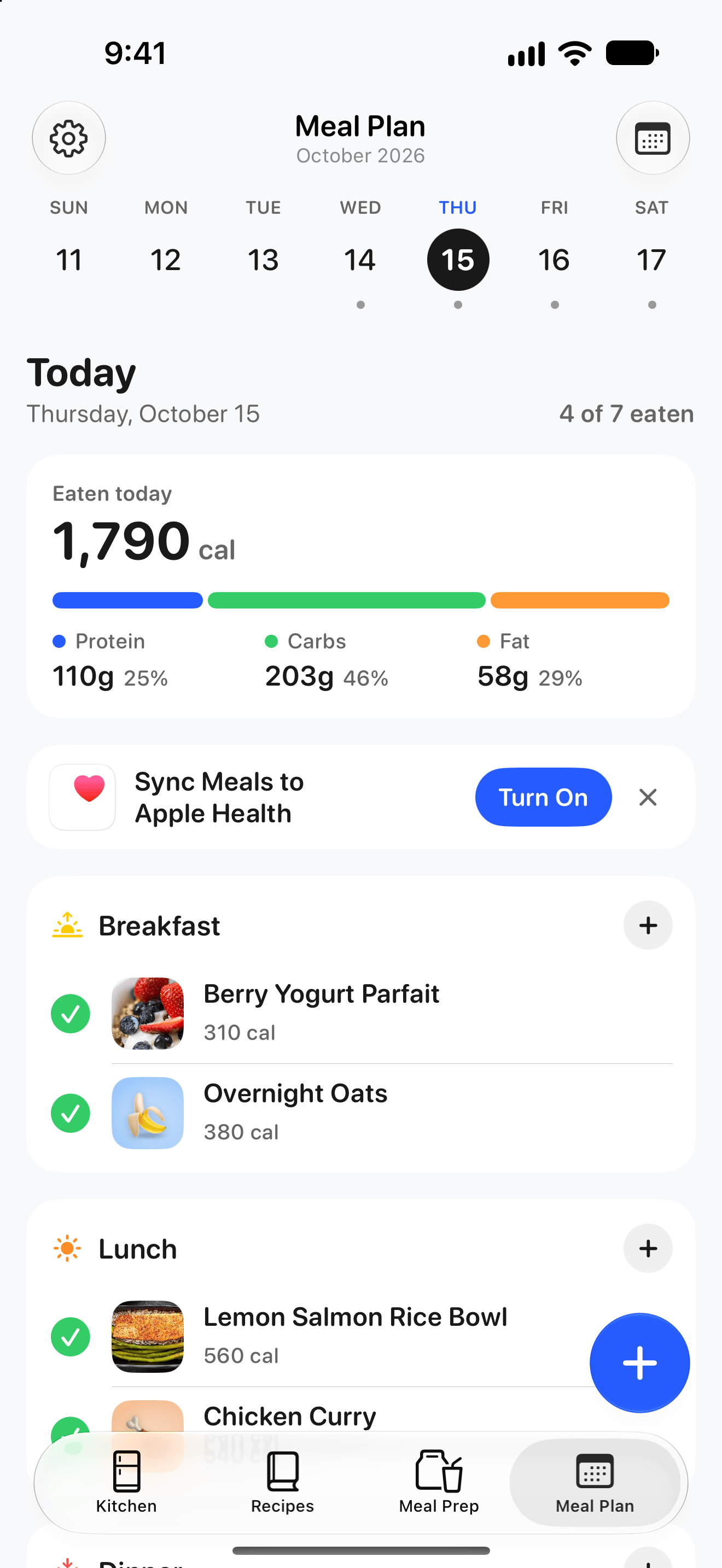
  • Apple Health

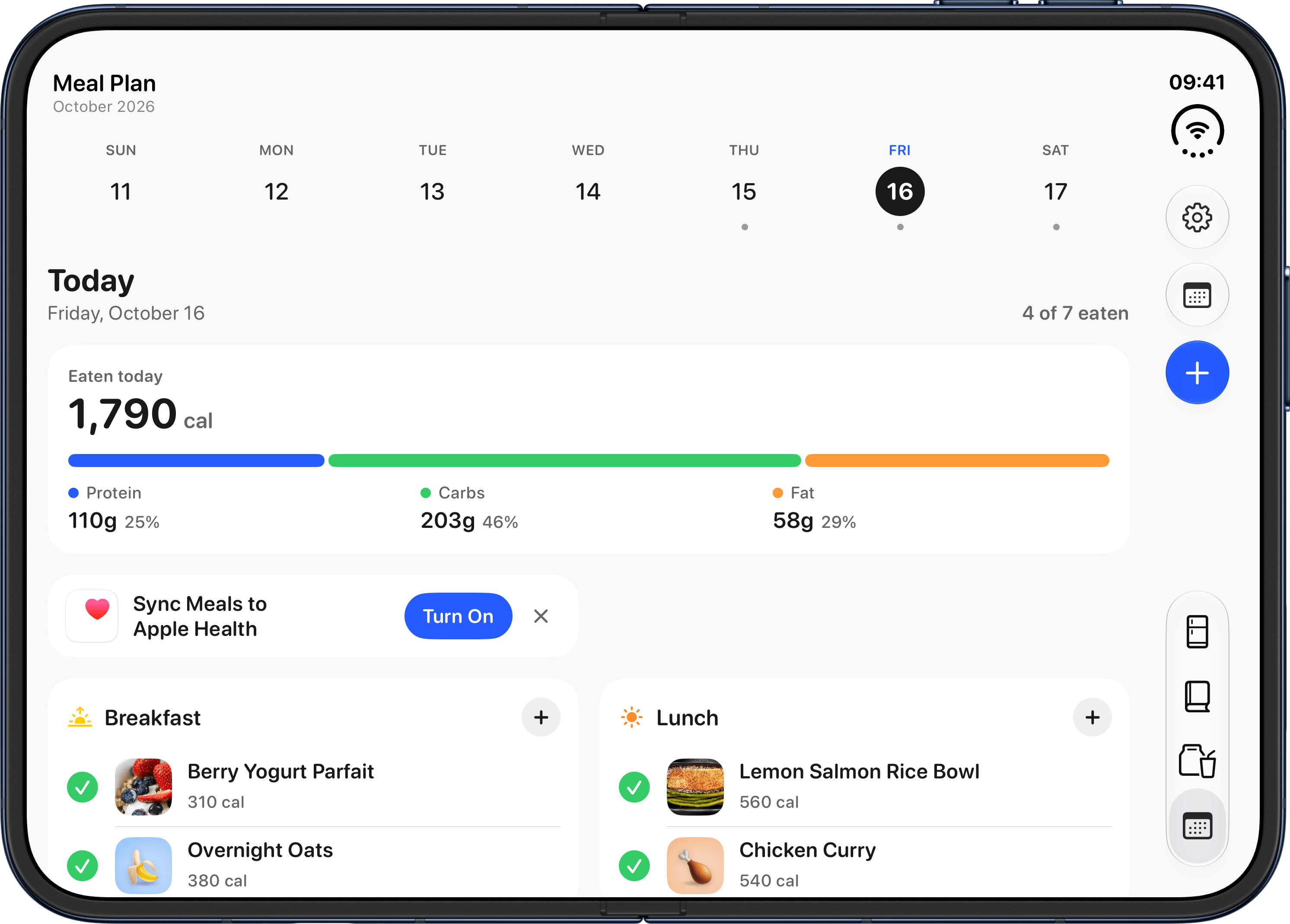
    Meal Plan with the Sync Meals to Apple Health card (Pro).

    PNG · 136 KB

    Download
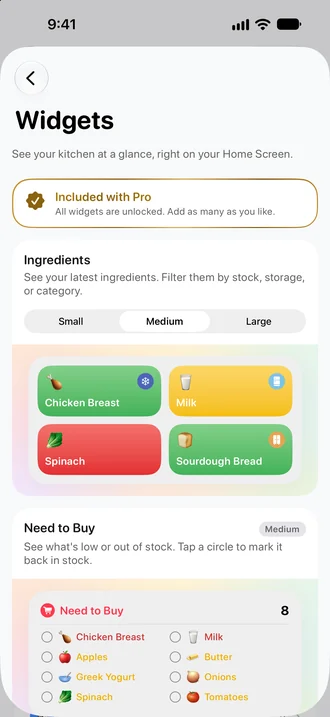
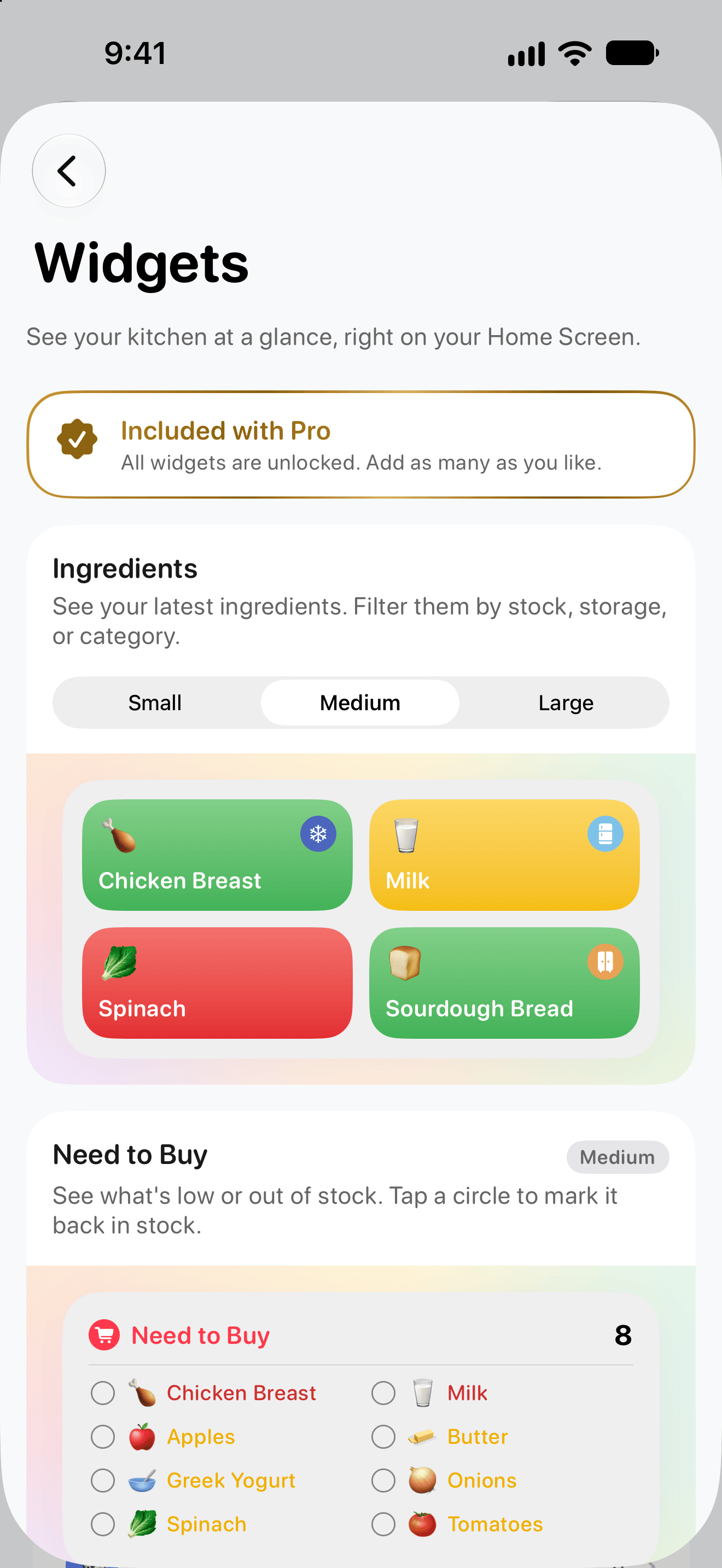
  • Widgets

    The Widgets page in Settings (Pro).

    PNG · 183 KB

    Download
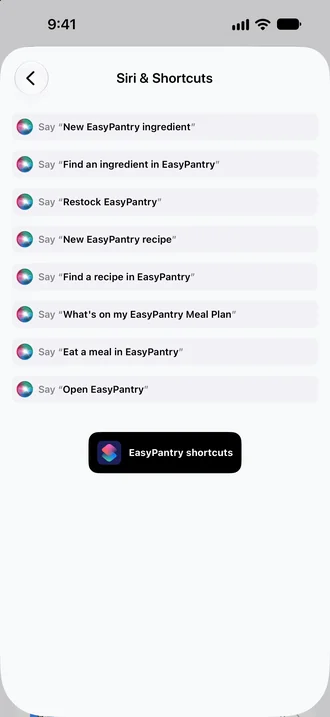
  • Siri and Shortcuts

    The Siri and Shortcuts page in Settings.

    PNG · 78 KB

    Download

iPad

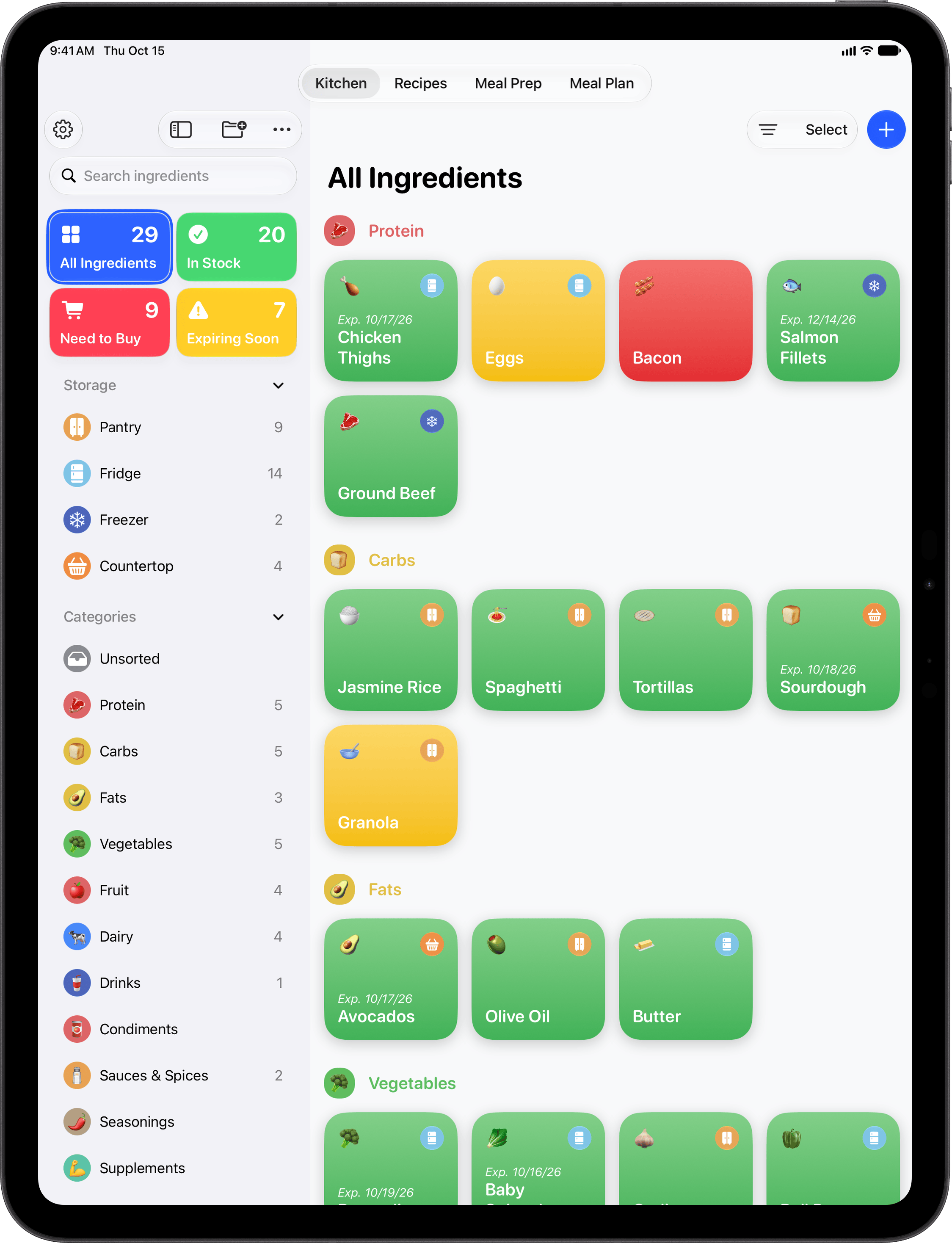
  • iPad

    My Kitchen on iPad.

    PNG · 2048 × 2732 · 242 KB

    Download
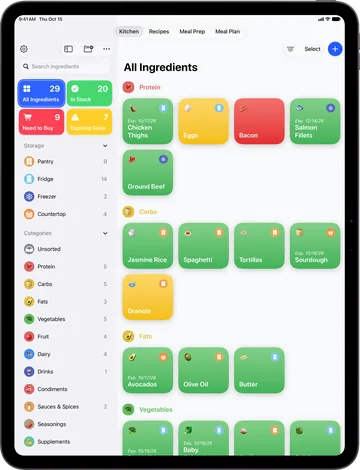
  • iPad, framed

    My Kitchen on iPad, in Apple’s device frame, with a transparent background.

    PNG · 2249 × 2936 · 484 KB

    Download

iPhone Duo

Each one is in Apple’s device frame, as a PNG with a transparent background.

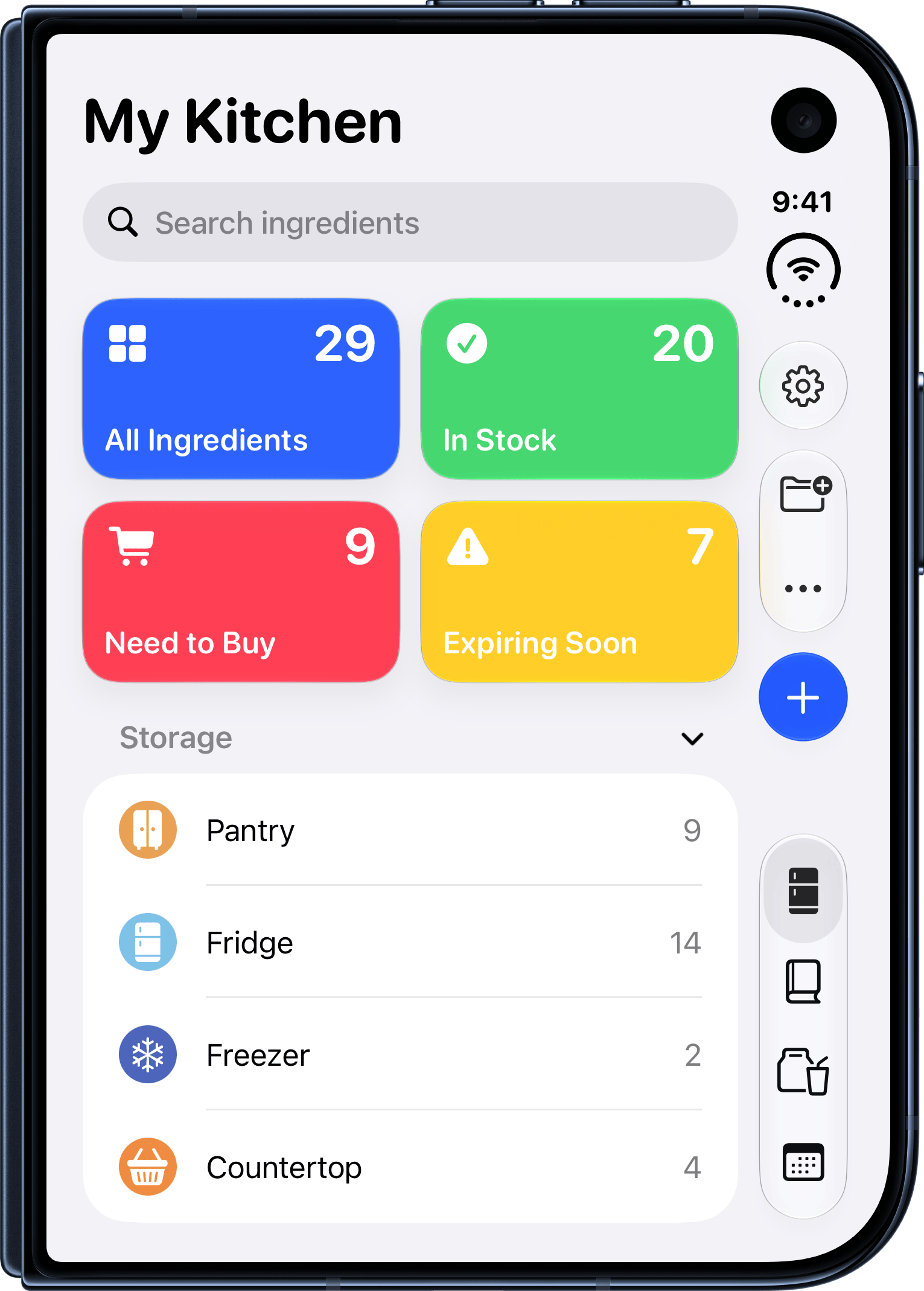
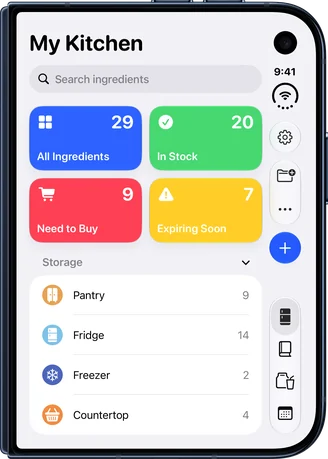
  • Closed: My Kitchen

    My Kitchen on the outer display: the four tiles, storage places and categories.

    PNG · 1531 × 2138 · 196 KB

    Download
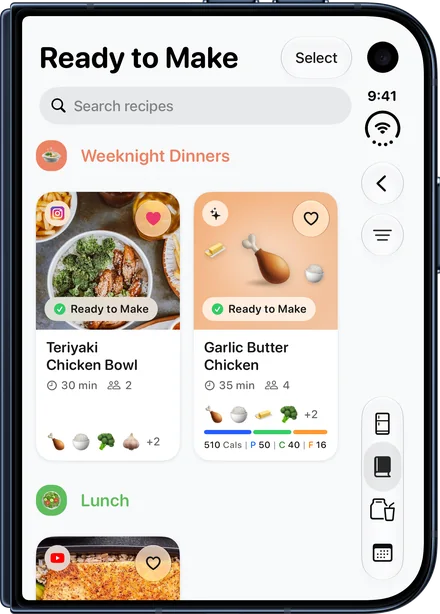
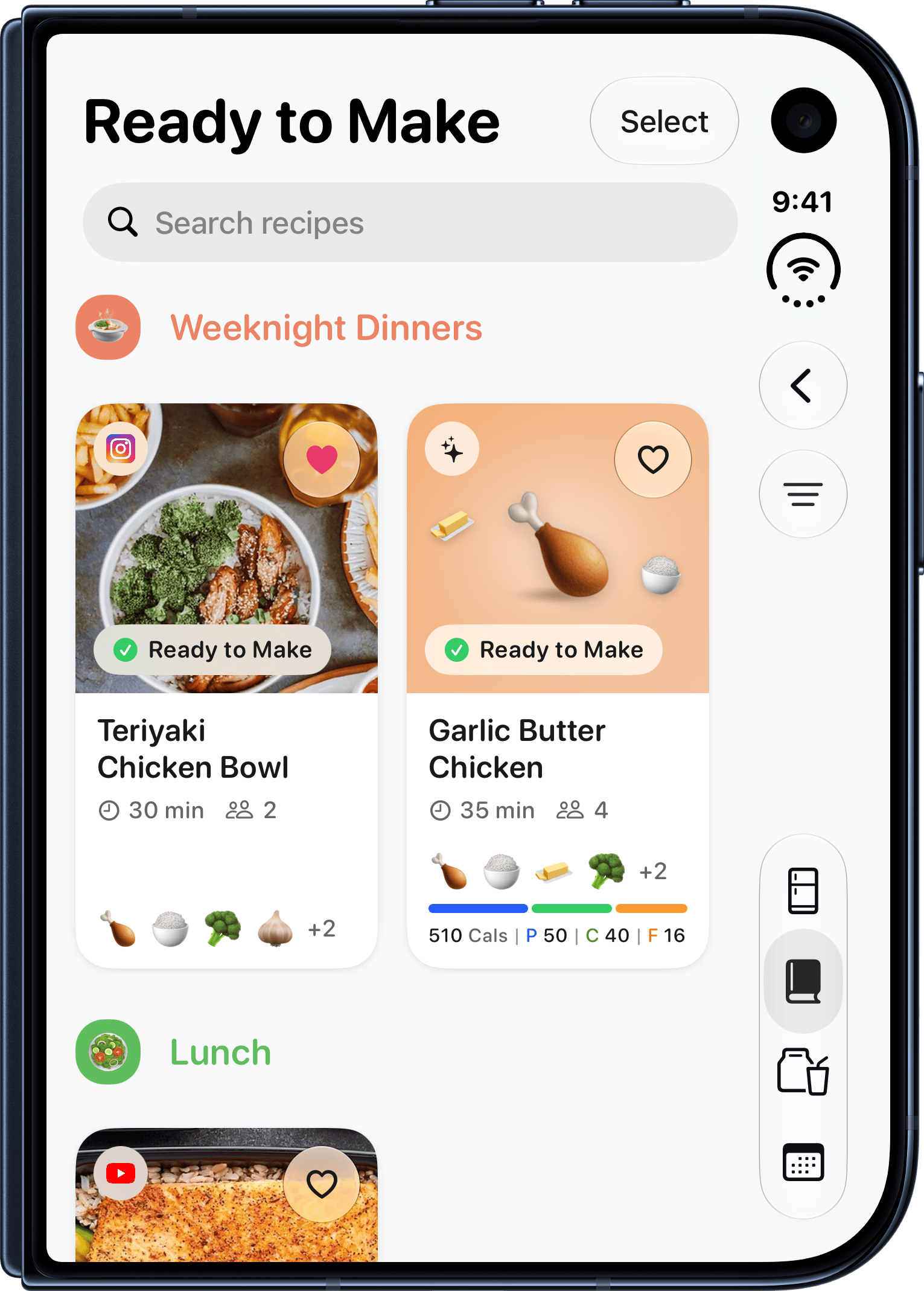
  • Closed: Recipes

    Ready to Make recipes on the outer display.

    PNG · 1531 × 2138 · 435 KB

    Download
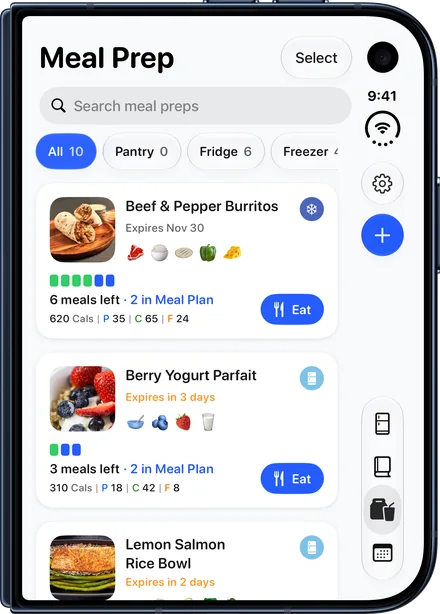
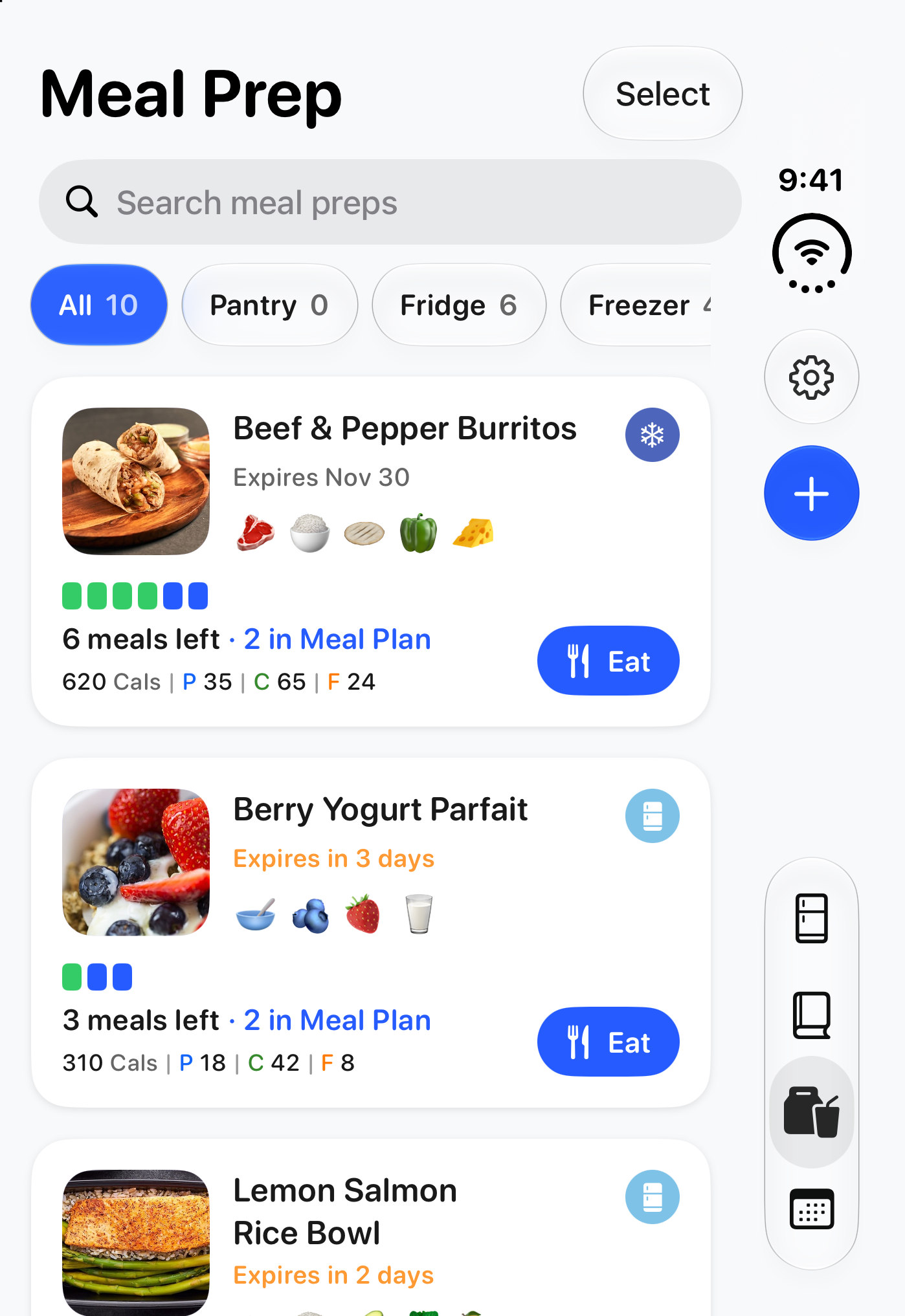
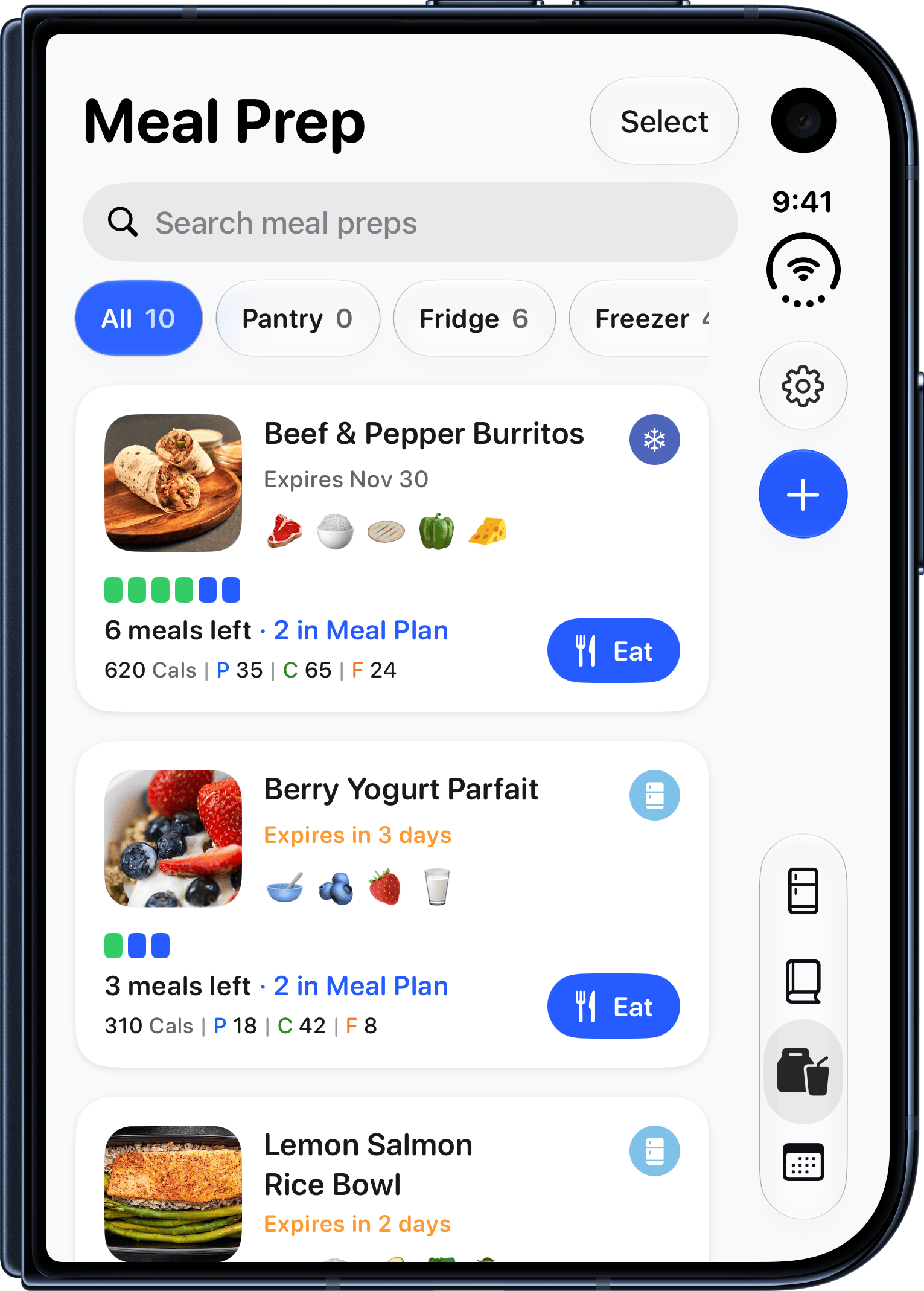
  • Closed: Meal Prep

    Meal Prep on the outer display.

    PNG · 1531 × 2138 · 324 KB

    Download
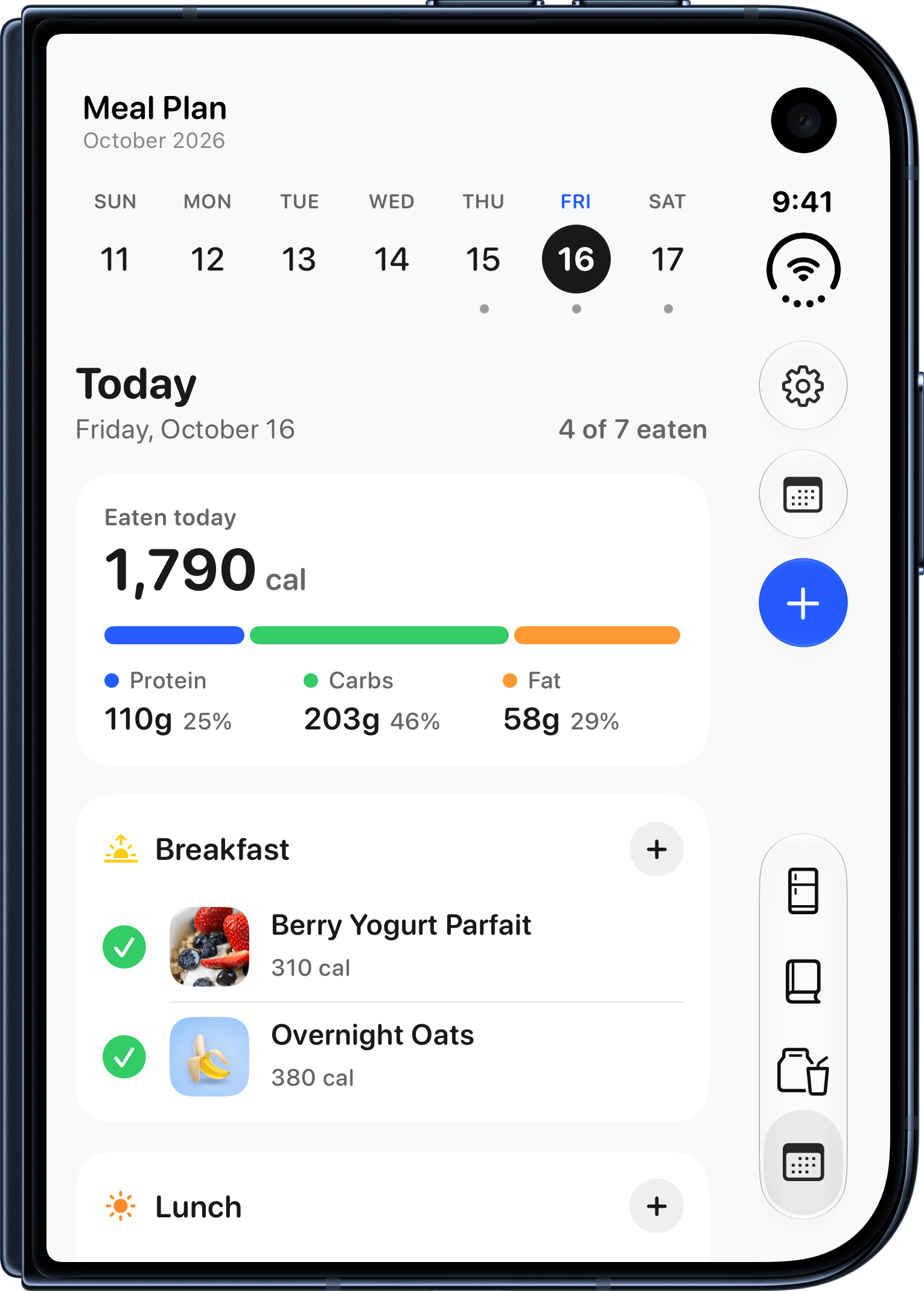
  • Closed: Meal Plan

    Today’s Meal Plan on the outer display.

    PNG · 1531 × 2138 · 238 KB

    Download
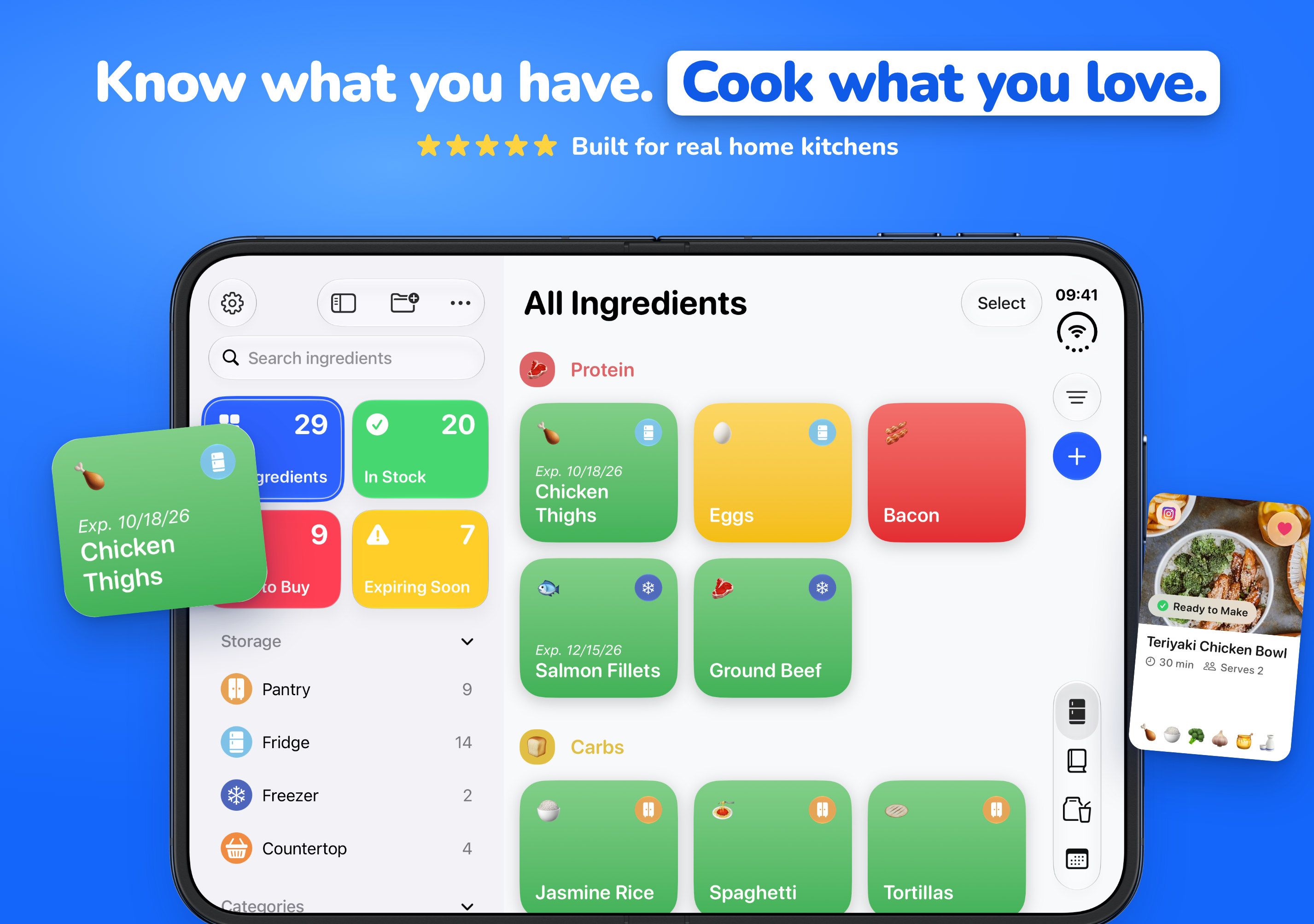
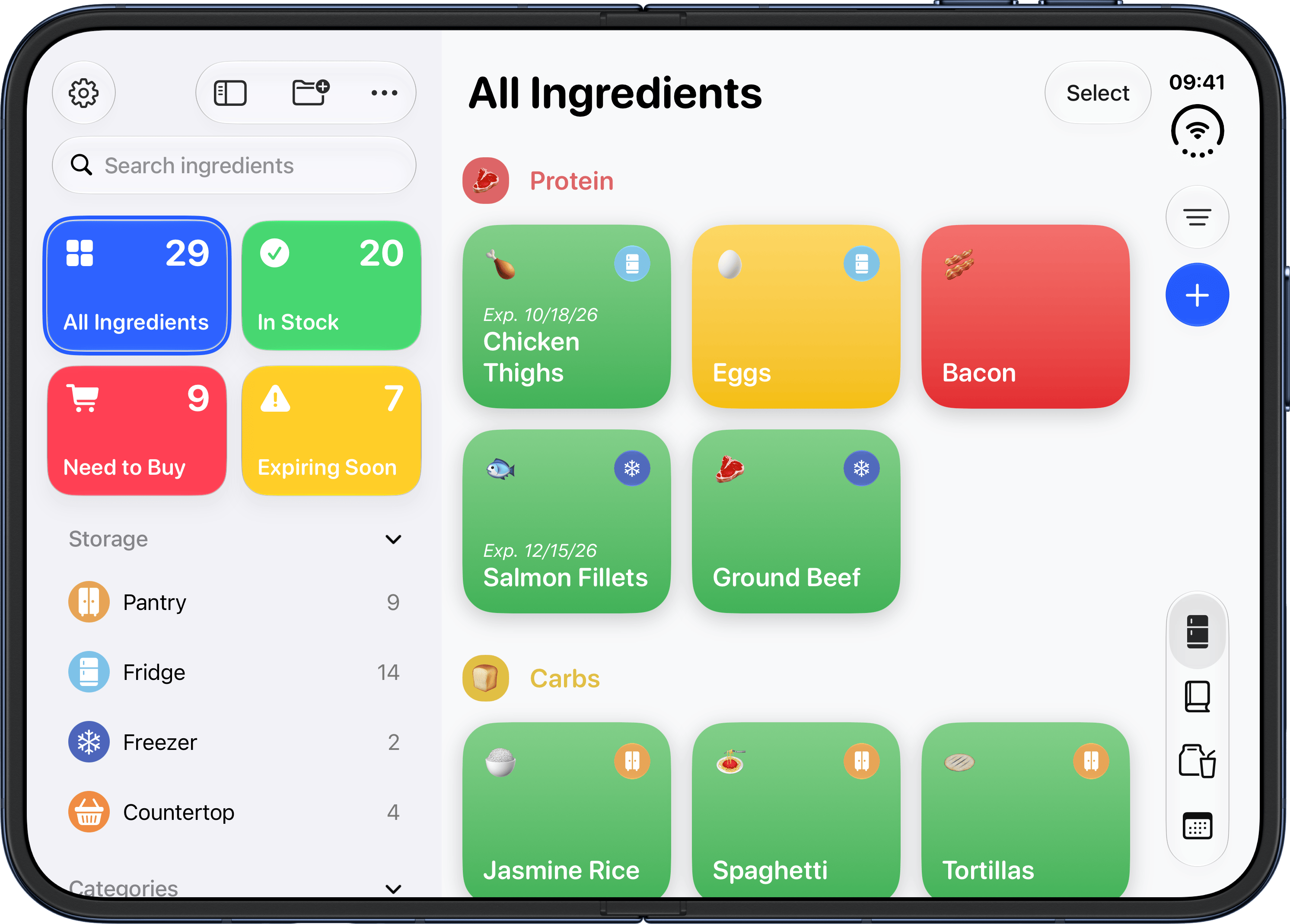
  • Open: My Kitchen

    The kitchen sidebar beside All Ingredients on the inner display.

    PNG · 2985 × 2139 · 467 KB

    Download
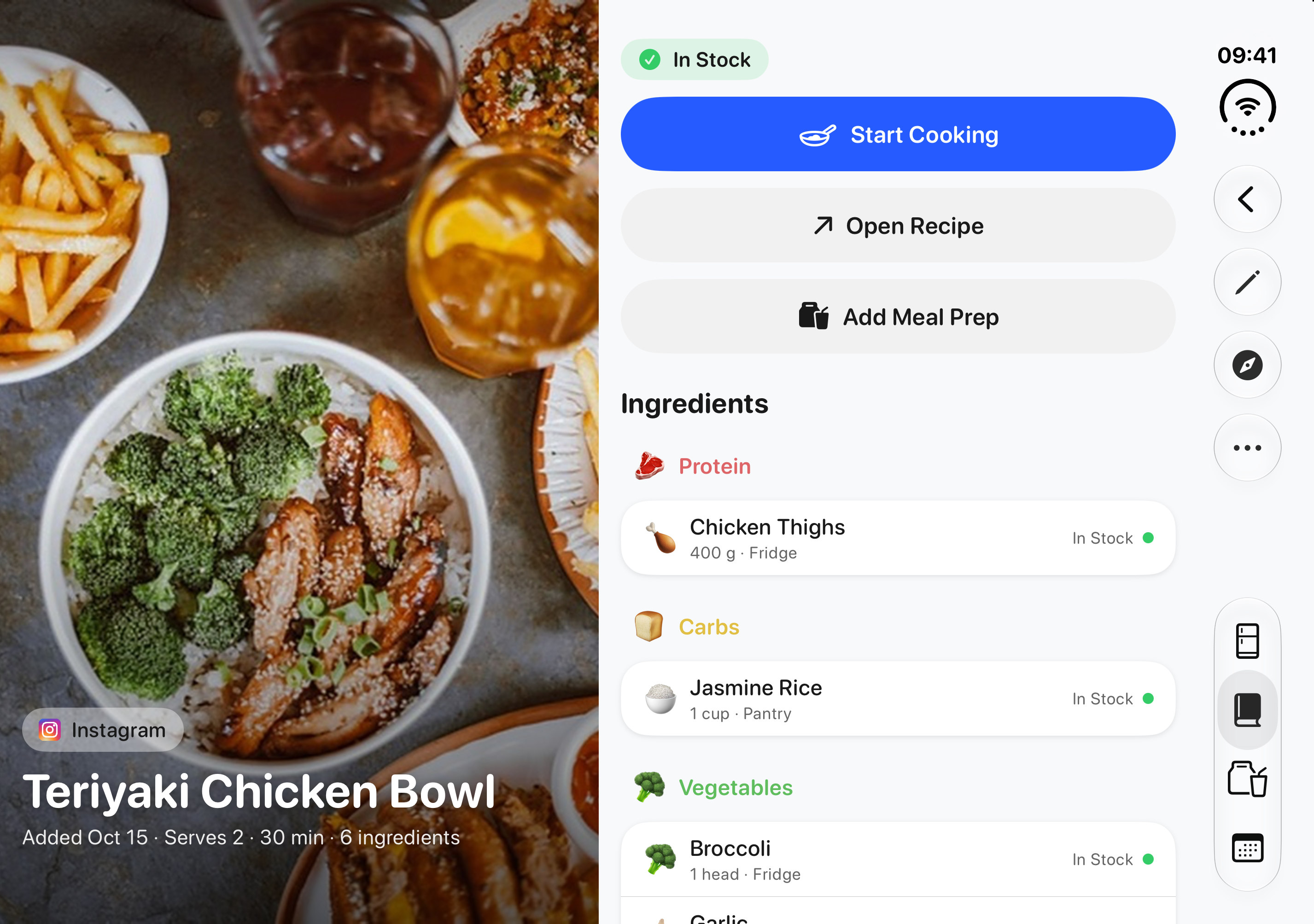
  • Open: a recipe

    A recipe on the inner display, the photo on one side and the recipe on the other.

    PNG · 3093 × 2247 · 1.4 MB

    Download
  • Open: Cook mode

    One cooking step in large type on the inner display.

    PNG · 2985 × 2139 · 274 KB

    Download
  • Open: Meal Plan

    Today’s Meal Plan with the Apple Health card on the inner display.

    PNG · 2985 × 2139 · 399 KB

    Download

iPhone Duo. Closed and open.

EasyPantry works on iPhone Duo, closed and open. Closed, the outer display shows the full app. Open, the inner display puts two views side by side, such as the kitchen sidebar next to All Ingredients, or a recipe’s photo next to the recipe.

All 10 iPhone Duo App Store images and 11 plain iPhone Duo screenshots are in the images zip. Tap a picture to open it full size.

Dark Mode

EasyPantry follows the device’s Dark Mode setting, or you can pick Light or Dark in its Appearance settings. These are the App Store images from EasyPantry’s Meal Prep page, which show the app in Dark Mode, and plain Dark Mode screenshots.

All 30 Dark Mode App Store images, for iPhone, iPad and iPhone Duo, and 18 plain Dark Mode screenshots are in the Dark Mode zip. Tap a picture to open it full size.

Promo art and video. Meal Plan Is Here.

The art from EasyPantry’s "Meal Plan Is Here" event, on the App Store from October 17 to November 16, 2026. Each video runs 16 seconds, with no sound.

Usage notes

  • You’re welcome to use the app icon, these screenshots and the promo art and videos in articles, reviews, videos and posts about EasyPantry.
  • Please don’t alter the icon, and don’t edit what a screenshot shows. Cropping and resizing are fine.
  • Please don’t use them in a way that suggests EasyPantry sponsors or endorses something else.
  • The name is one word with a capital P: EasyPantry.
  • Prices are in US dollars and may differ in your region. The App Store shows the exact price before anyone buys.

Need something that isn’t here?

A build, a walkthrough or answers about what’s coming: email support@easypantryapp.com.

Contact

Dean Cornejo
support@easypantryapp.com

For help with the app itself, see Support. How EasyPantry handles data is set out in the Privacy Policy.